
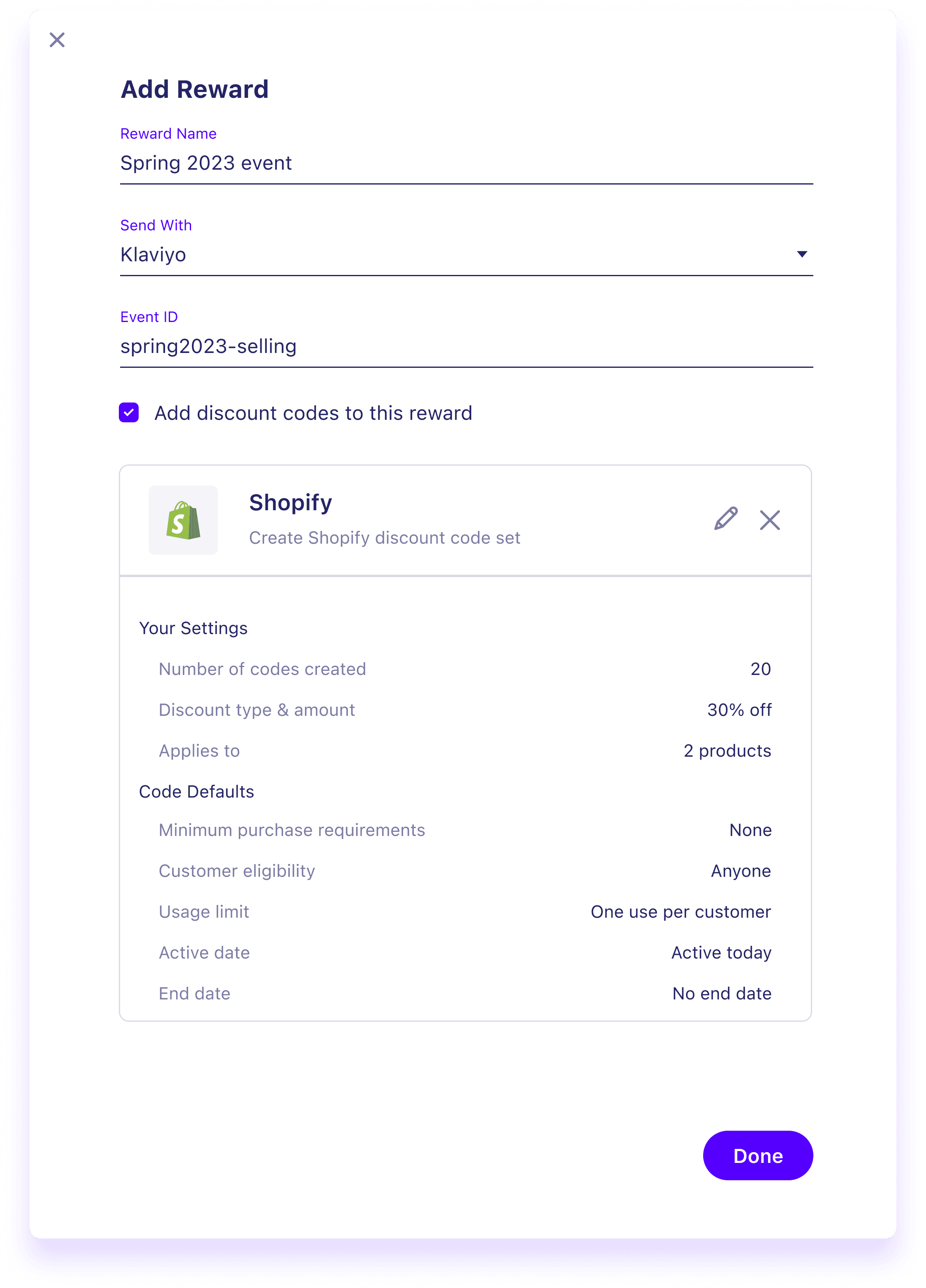
Supporting brand's reward creation workflow with Shopify discount code bot
Reward code generator
Overview
Timeline
2 months part-time (Feb 2023 - Apr 2023)
My Role
UX designer: product audit, interview guide, case validation, rapid prototype
Context
Loudcrowd is set to launch a new feature called "Challenge," designed to help brands capitalize on trending social media challenges. To ensure a seamless experience, the product team is optimizing the reward creation flow as part of the development process.
Problem
The current reward creation flow requires brands to leave the Loudcrowd app to set up the reward codes in Shopify. Hence, the reward creation process is handled by the customer success team, not brands due to its complexity and steep the learning curve.
Goal
Viewed from the product roadmap for 2023, the code generator project is essential for testing and launching challenges, the next significant project for this quarter. So, we need to integrate the external setup process into Loudcrowd to drive adoption of the "Challenge" feature.
Solution&Impact
45%⤴️
User satisfaction
31%⤴️
User engagement
36%⤵️
Request for reward code setup assistance
So, how we got there?🧐
Strategy
User Story
The first step for this project is to create user stories so that we can empathize with the users and understand their end goals.
As a digital manager, I want to generate 500 unique codes that give 20% discount so that I can use them for brand's social reward programs
1
As a digital manager, I want to generate 200 unique codes for a $50 site credit so that I can use for spot gifting high quality content
2
As a digital manager, I want to generate 300 unique codes for a 15% Christmas product discount so that I can use for the active Christmas Challenge
3
Usability Testing
To find out how steep the learning curve is for digital manager, I interview customer success team to learn how they are creating reward codes based on brand's request. I also did a usability testing to see where user might be lost or frustrated.

1
2
3
User go to Setting > Reward Management > Click on add reward button to see the pop modal where they will enter reward name, chose delivery method and upload CSV.
Based on my research, I learnt that customer success was training clients to name the reward in certain way. So, I believe the user is not going to have problem following the best practice
How user is naming reward in Loudcrowd:
IG Stories - $50 Store Credit - 100 Stories
Owl Crate TikTok $10 Value - Yotpo Points
IG Feed - 7 to 8 post - leather makeup bag
IG - 175 Feed/Reels Posts - 25% Discount
CBDistiliery 3 Stories - $14 Site Credit
For delivery method, I learnt from the Loudcrowd's help center that code can be send via 4 types delivery methods:
Email service provider (Template ID needed)
Loyalty systems (Event ID needed)
Tremendous Gift card & Cash Payout (contact client strategist to set up and integrate Tremendous account)
Manual ( No extra setup. Reward with manual method can be used in messaging or spot gifting for UGC)
Issue here is that user might not be able to find the reward they created in the reward selection list if they have not set this reward to the right delivery method previously.
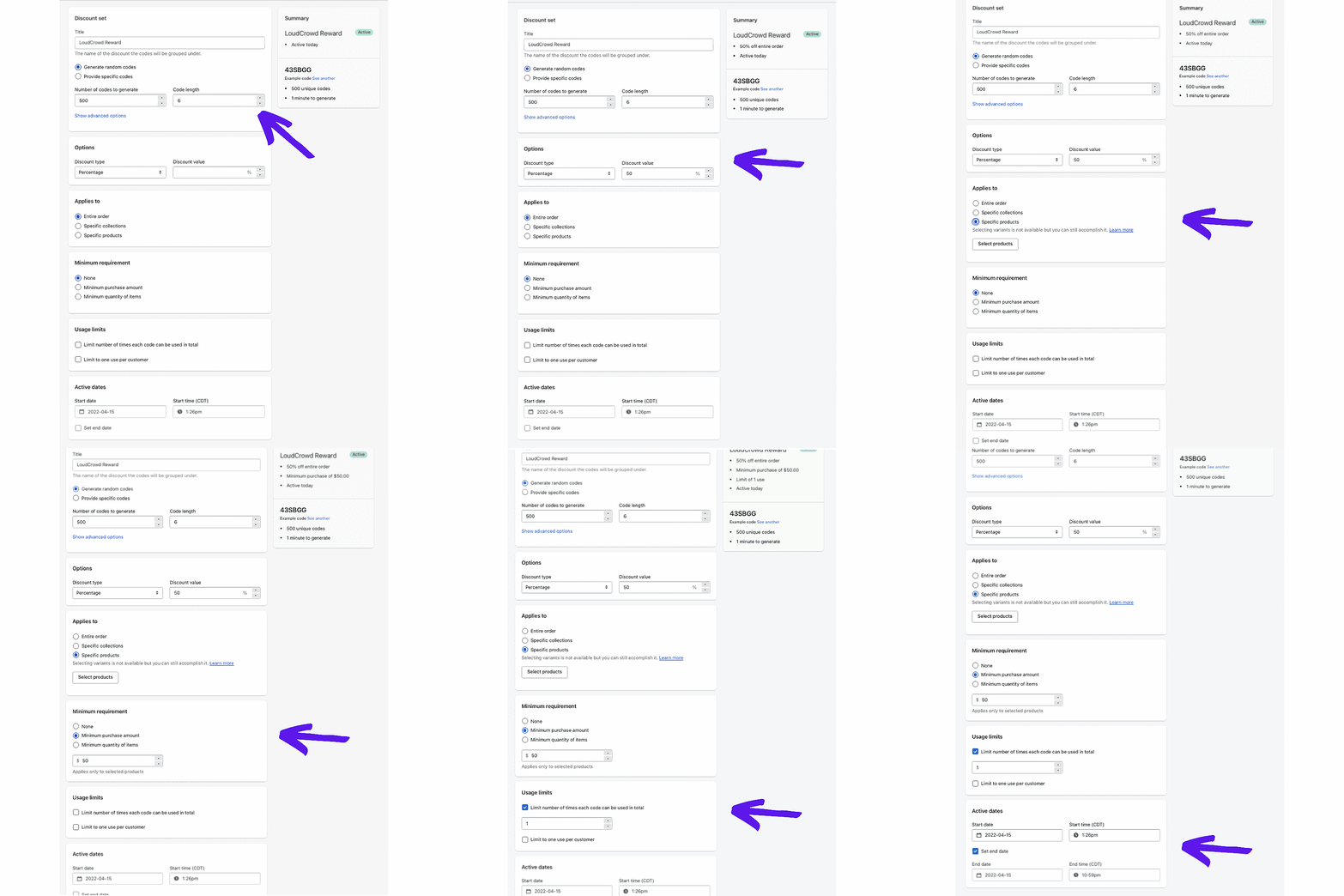
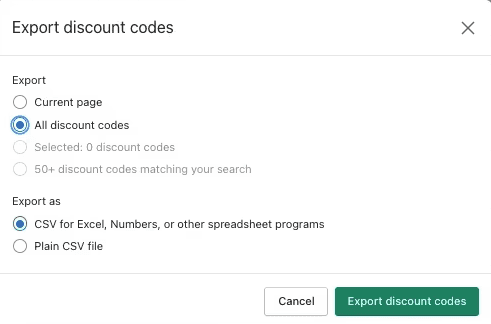
Lastly for uploading code to go to Shopify to create a set of discount codes and upload. This is where user will have trouble because while I was doing research, it took me a while to understand how to create bulk reward code in Shopify.
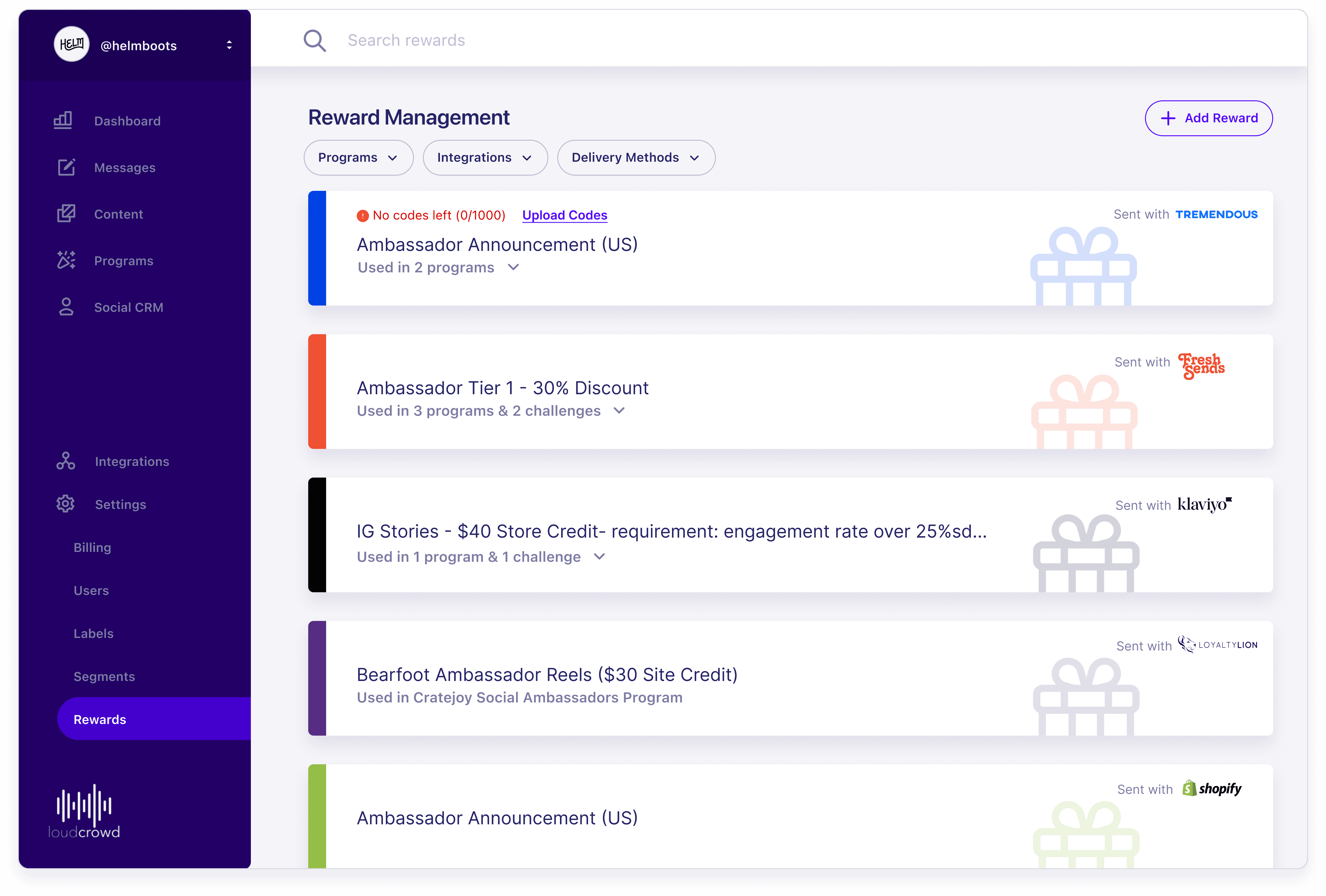
After the reward code is created in the Reward Management page, they can be used in gifting, messaging, challenges and programs. Reward used in Challenges or Programs will be indicated in the Reward Management page.
Scope
Internal Validation
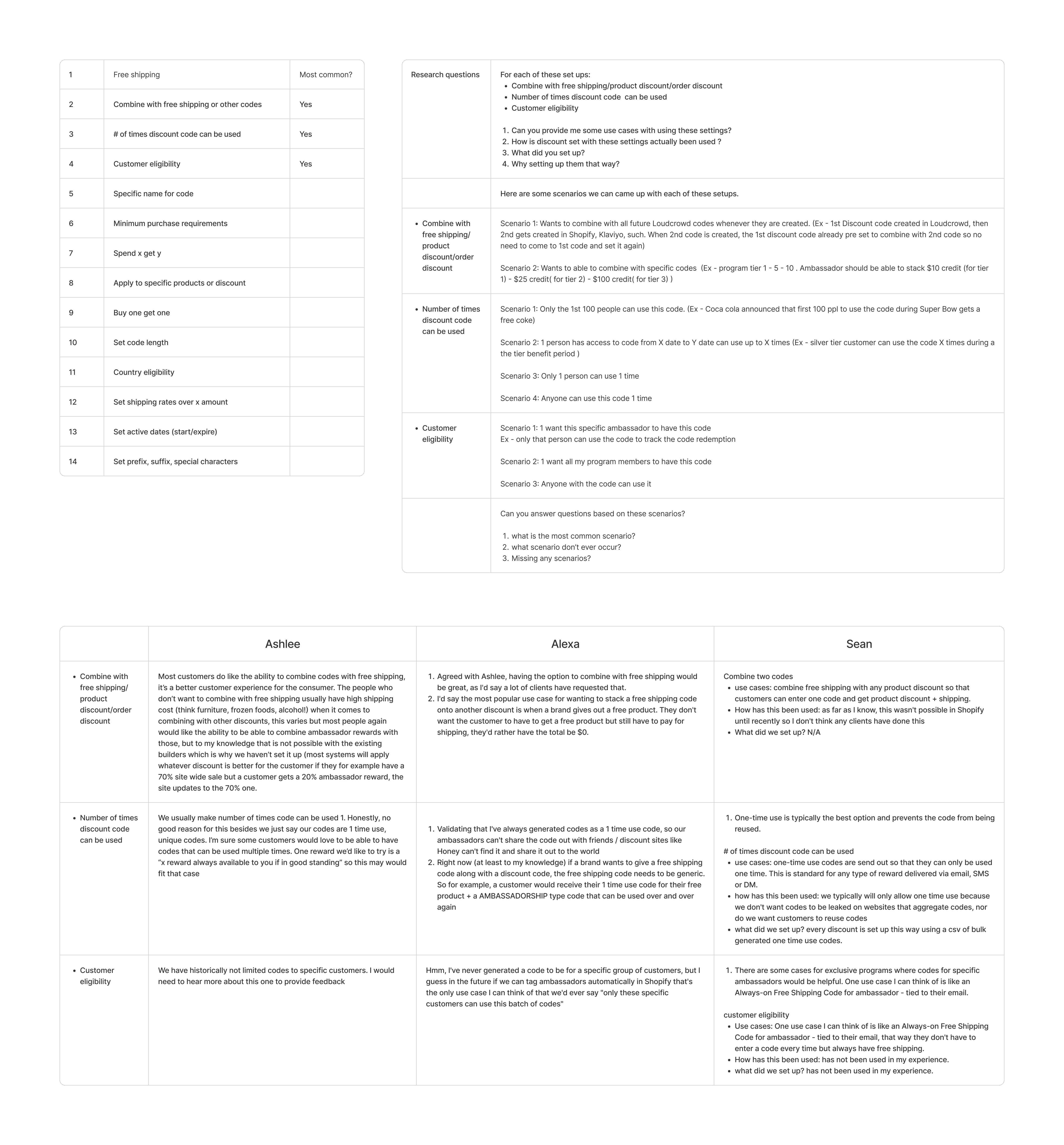
Although the goal of the project is to replicate setups in Shopify code generator, some setups that are out of scope for this project. After interviewing customer success team, I arrive at a list of setups we need to add into the code generator in order to satisfy majority of the use cases.
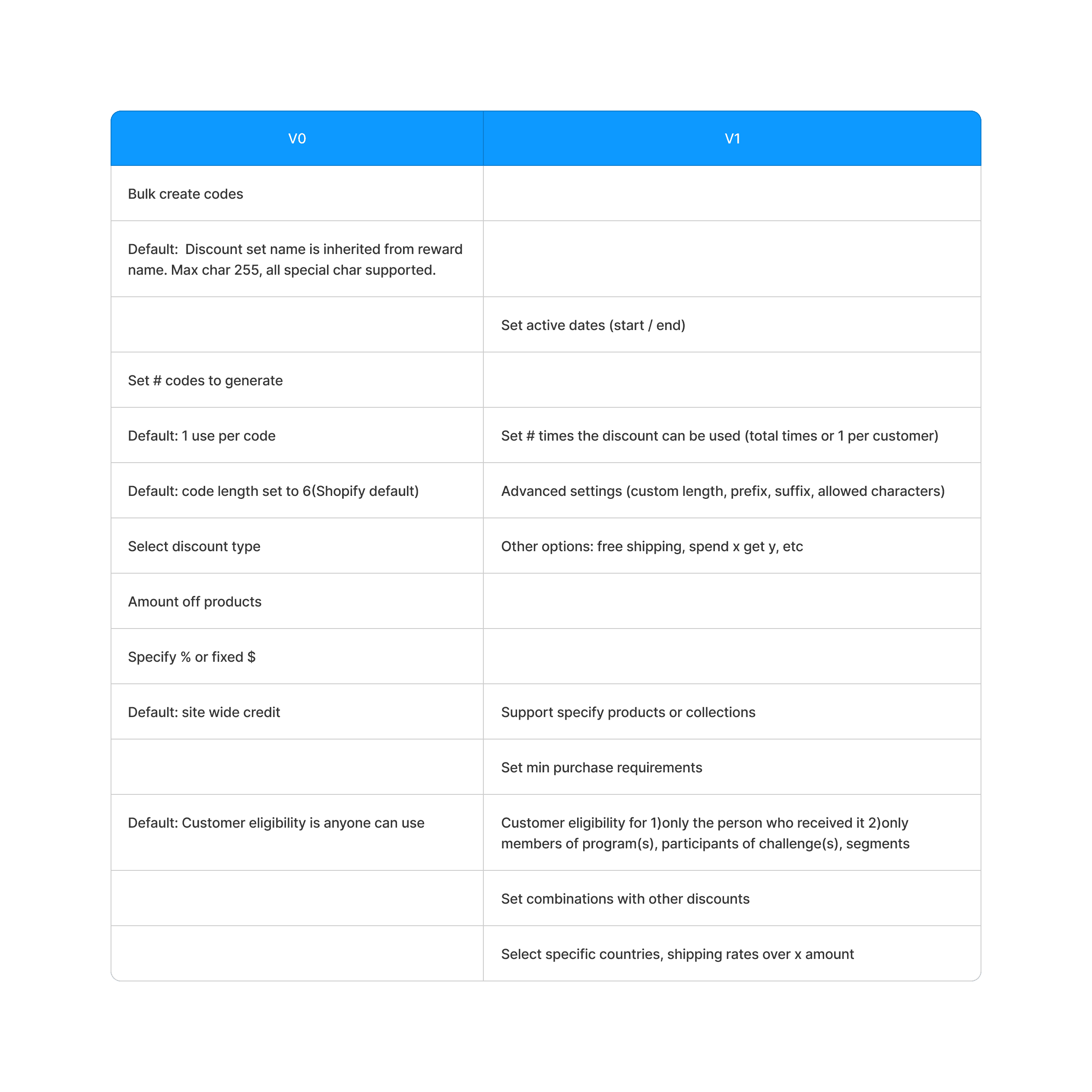
MVP for Version 0
With the customer success validation, PM and I slice out the MVP to build. V0 has the settings we need to design for.
Structure
Sitemap
Quickly mark a few places where the reward code can be used in.

Interface
Initial Design
While I was brainstorming, I came up with 2 different ways to upload CSV sheet.
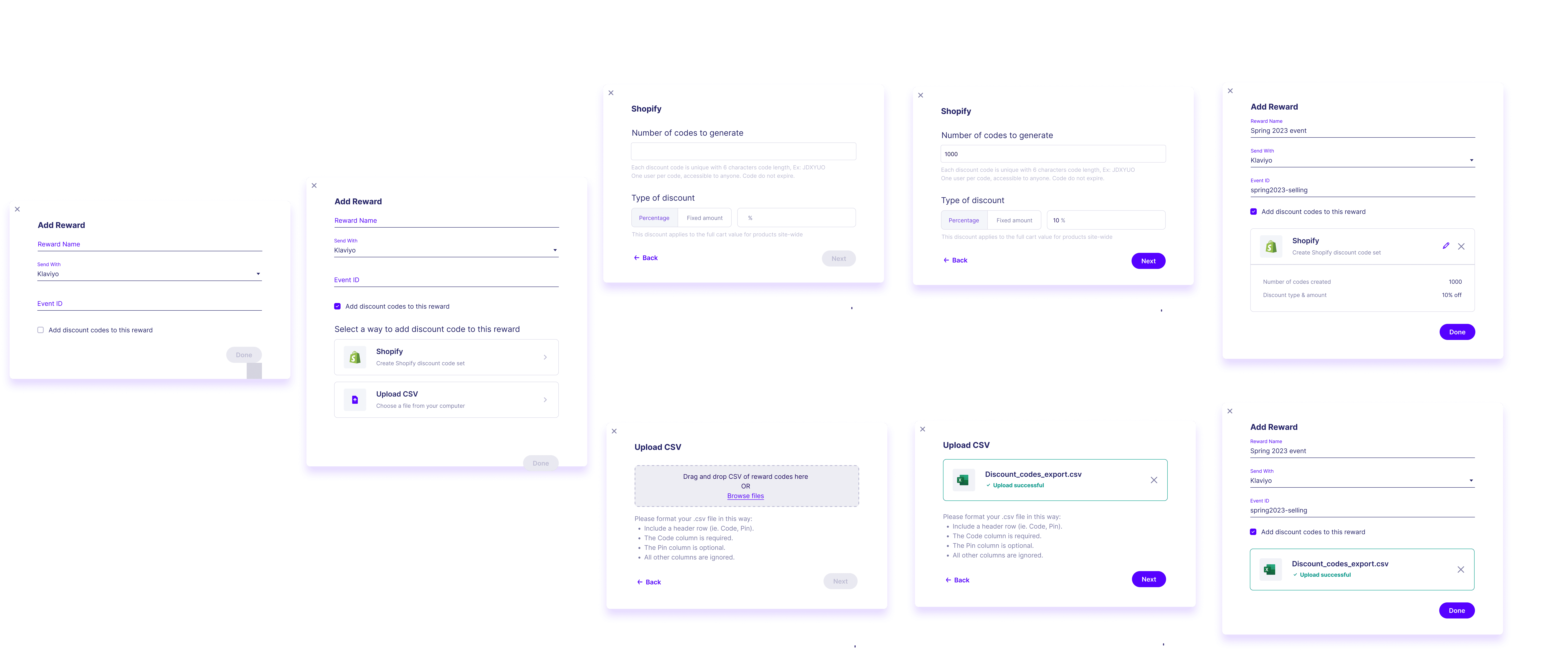

Iteration 1
During my design feedback, I was told to add in the select product option, so I decided to make it a pop up on top of the modal.
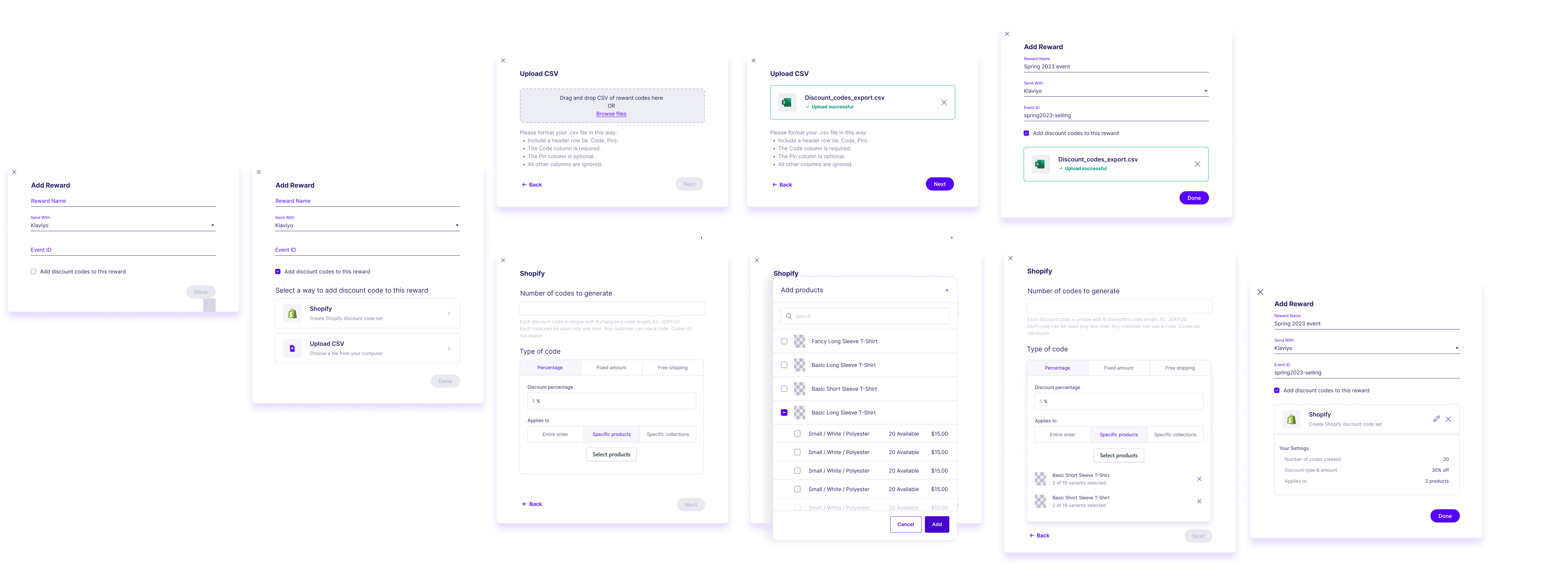
Final Design
In the end, I made the following changes: 1) Make sure the default options are written out clearly as we need to notify user detail they need to know. 2) Used components from the existing design system since we want to save implementation time.

Reflection
Follow industry standard: for file uploaders it is common that big companies are allowing users to do both drag and drop plus browsing from their computer. We should follow industry standards and not do it in a unique way.
Do not assume anything for the user: easiest way to validate is to talk to customer success team as they often get direct feedback from the users.
Everyone's time is precious: create an interview guide before the interview so I can conduct a more structured interview and get exactly what I want to know.
Ask a lot of questions early on: finding out the miscommunication earlier is better than finding it out later.
Thinking systematically: When adding a new feature in, consider how much it impacts the whole system structure.
Annotate design files: Do not assume that whoever have access to the design folder can understand what is going on in the design folder without any annotation.
Thanks for reading till the end :D
© 2026 by Benyin (❁´◡`❁)