
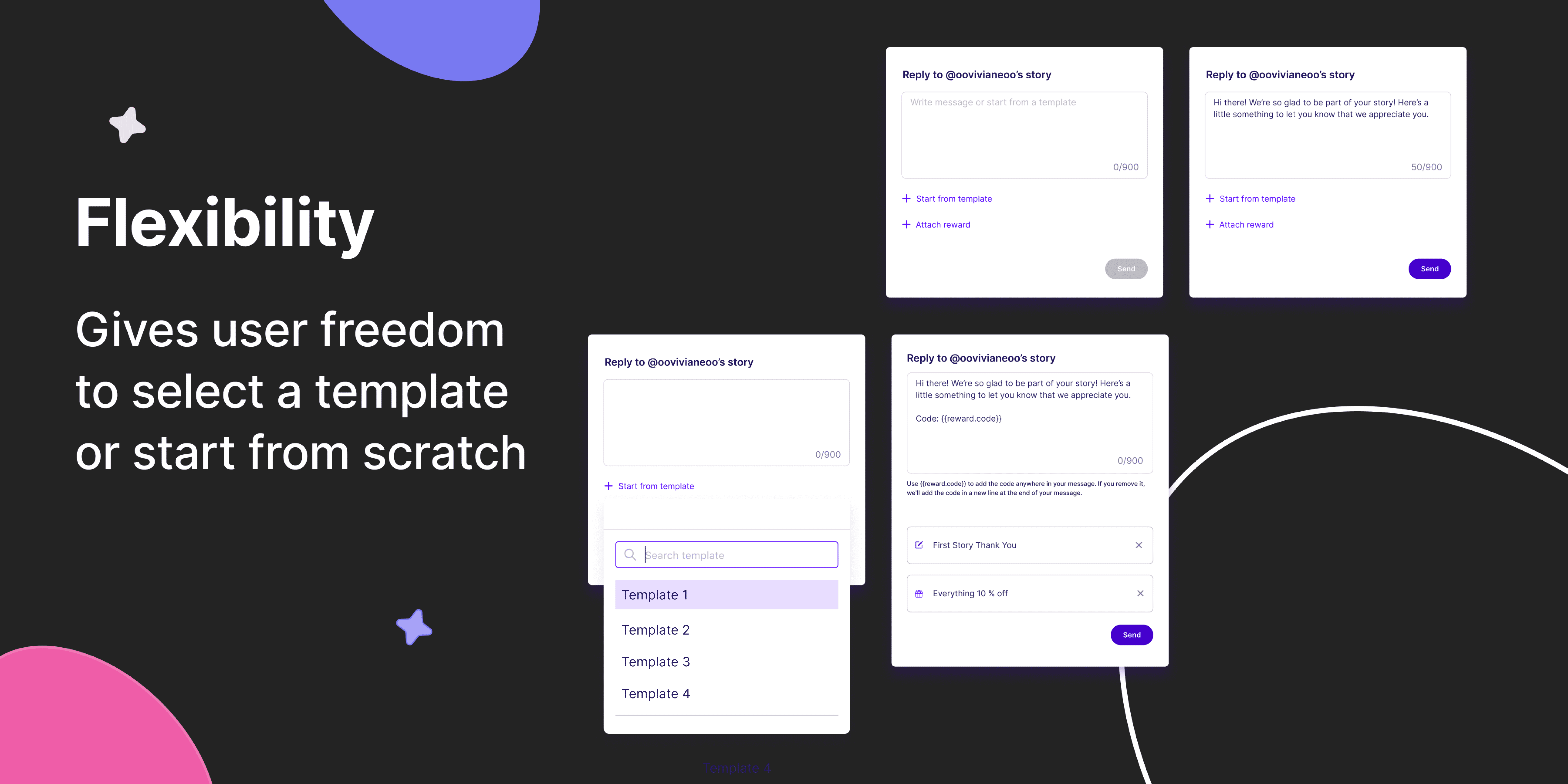
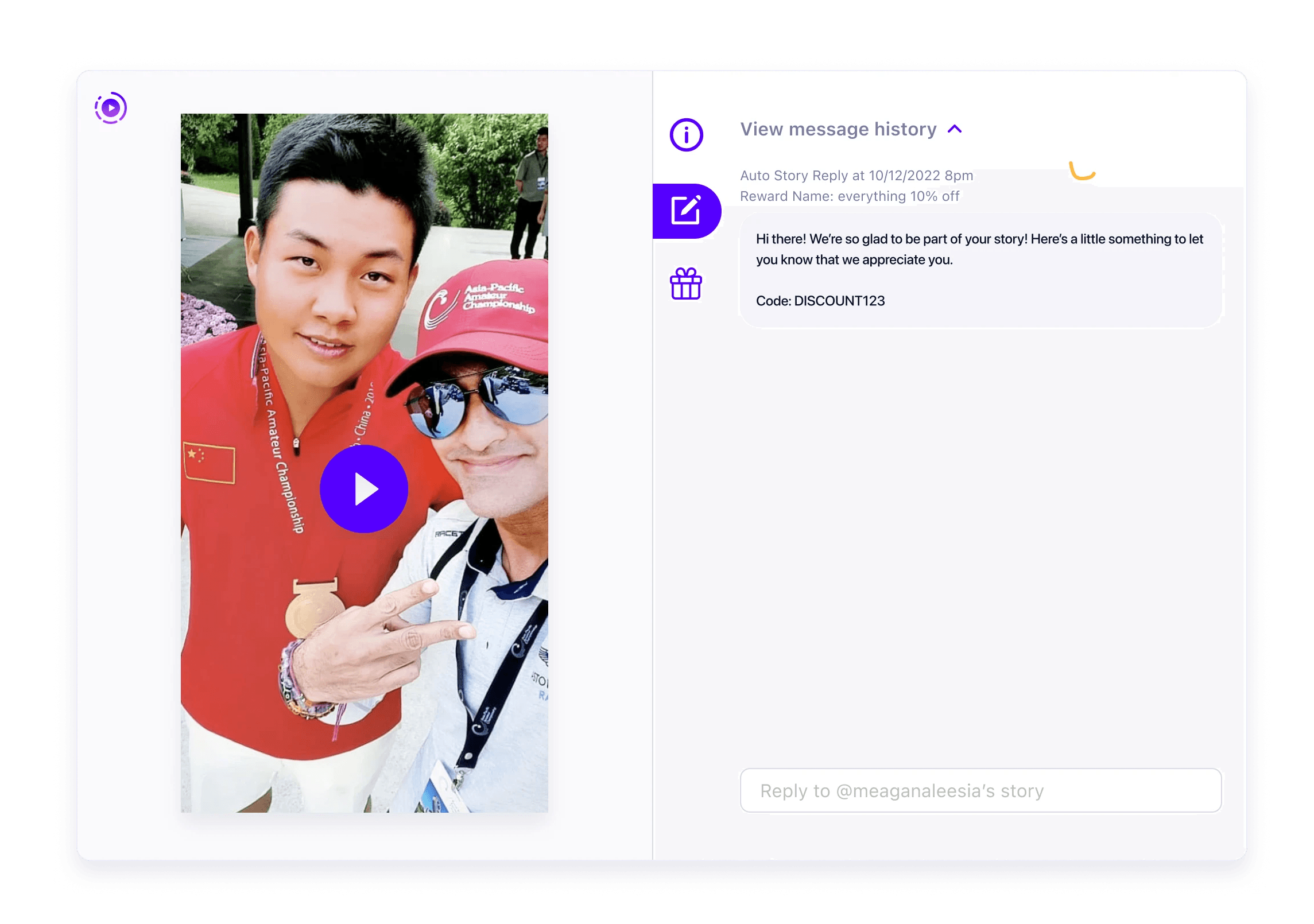
Hi there! We’re so glad to be part of your story! Here’s a little something to let you know that we appreciate you.
Code: {{reward.code}}
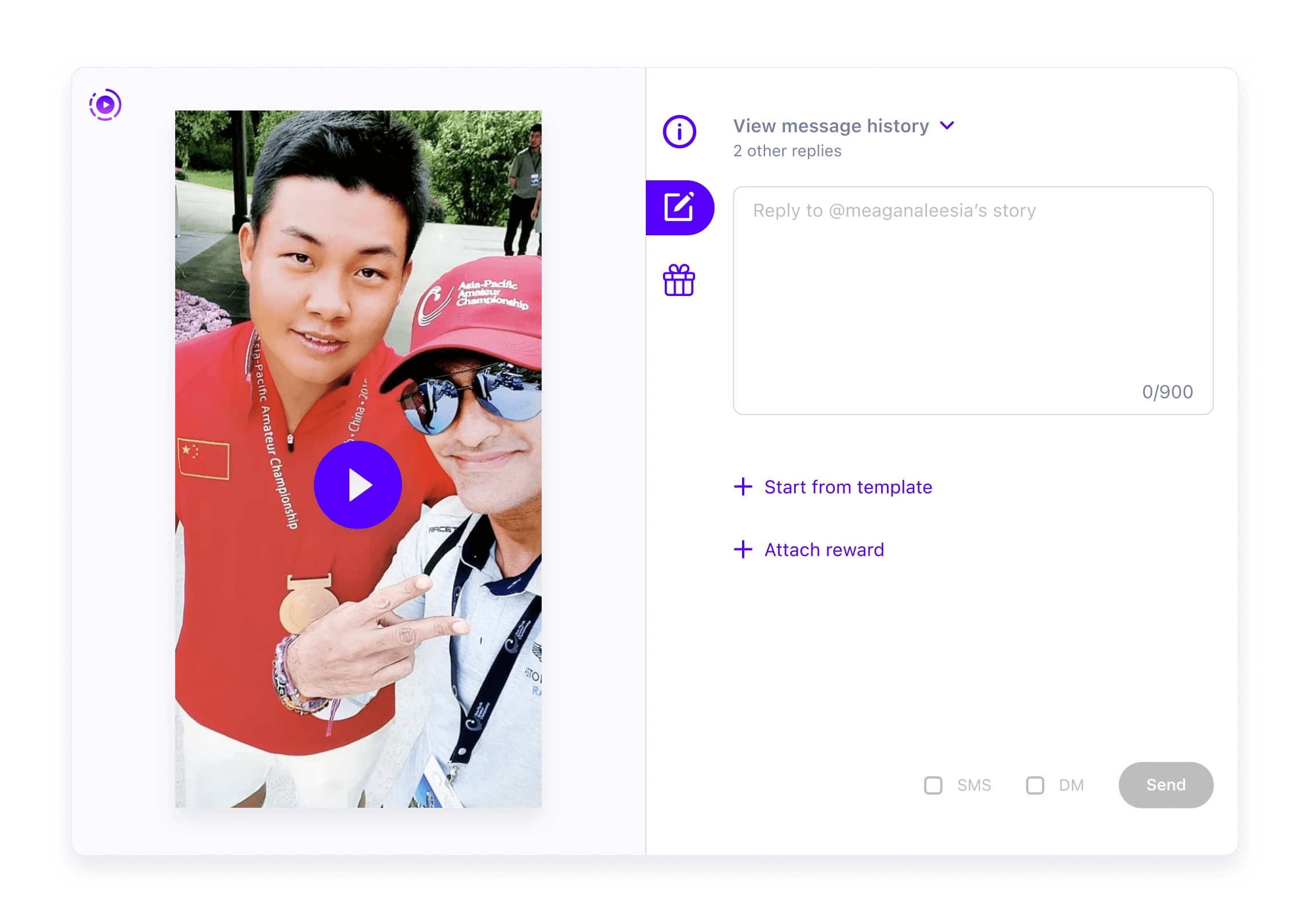
0/900
Send
SMS
DM
First Story Thank You
Everything 10 % off
Use {{reward.code}} to add the code anywhere in your message.
If you remove it, we'll add the code at the end of your message.
Everything 10 % off
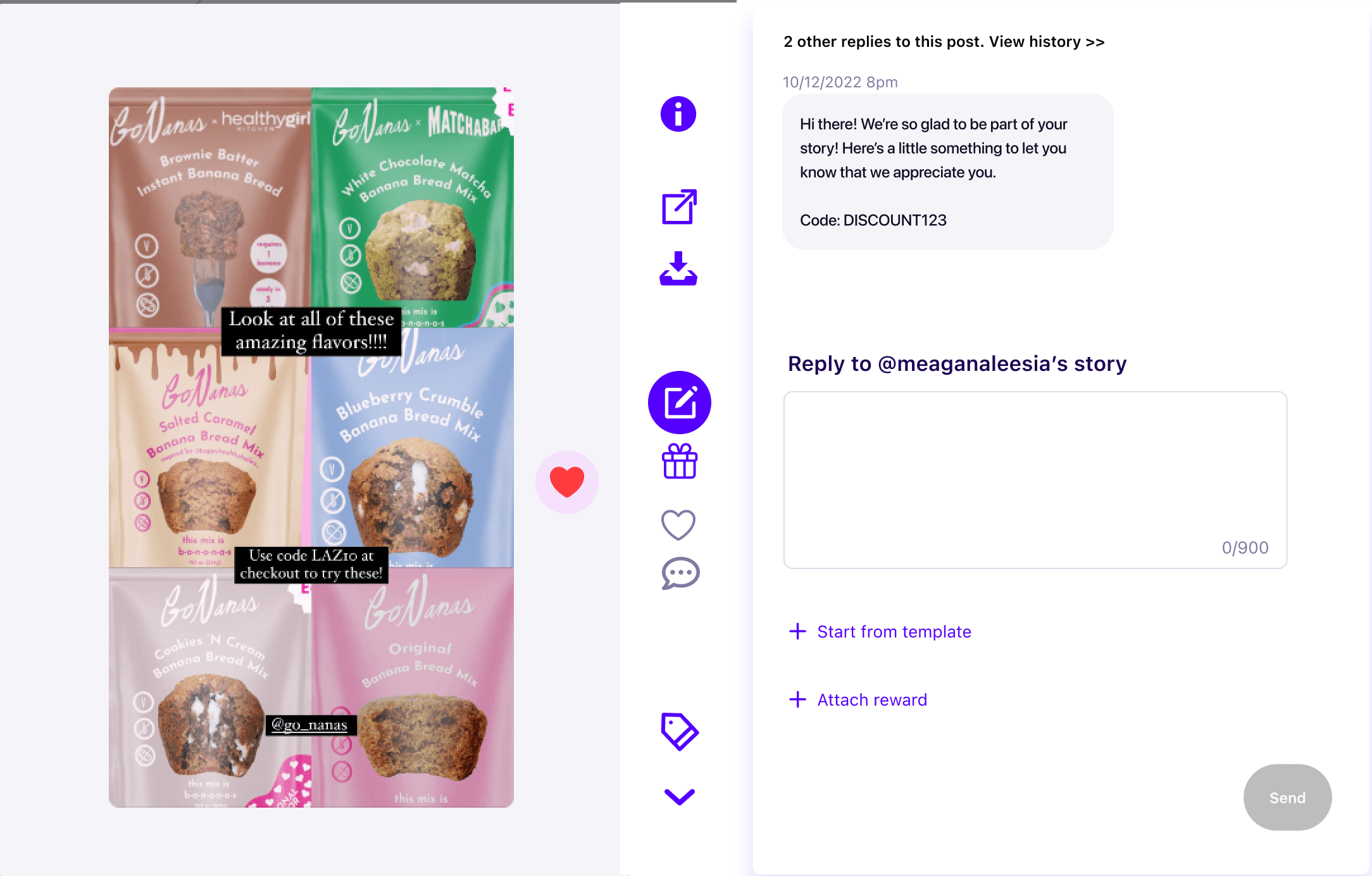
Reply to @oovivianeoo’s story
Hi there! We’re so glad to be part of your story! Here’s a little something to let you know that we appreciate you.
Code: {{reward.code}}
0/900
Send
Use {{reward.code}} to add the code anywhere in your message. If you remove it, we'll add the code in a new line at the end of your message.
Start from template
Manual Story reply
Giving brand more personalization when messaging their influencers
Overview
Timeline
1.5 months (Aug 2022 – Oct 2022)
My Role
UX designer: Ideation, Information architecture, Navigation design, Rapid Prototype, Project Documentation, Cross-Team Alignment, Scope & Plan
Context
4 brands (GoNanas, Beatbox, BooHoo, Freedom Rave Wear)has expressed the need to manually reply to their influencers for various purposes. Brand managers need the ability to handle specific interaction and gifting scenarios that can’t be automated.
Problem
There’s no central place for a brand manager to send and manage their messages. They either have to DM from Instagram, send email or send SMS which is very inefficient. Furthermore, we want to avoid tedious setup and troublesome management experience as brand managers are less likely to communicate with program members.
Goal
Since brands use influencer programs to retain customer loyalty and boost customer engagement, Loudcrowd is committed to giving brands the flexibility.
Solution & Impact
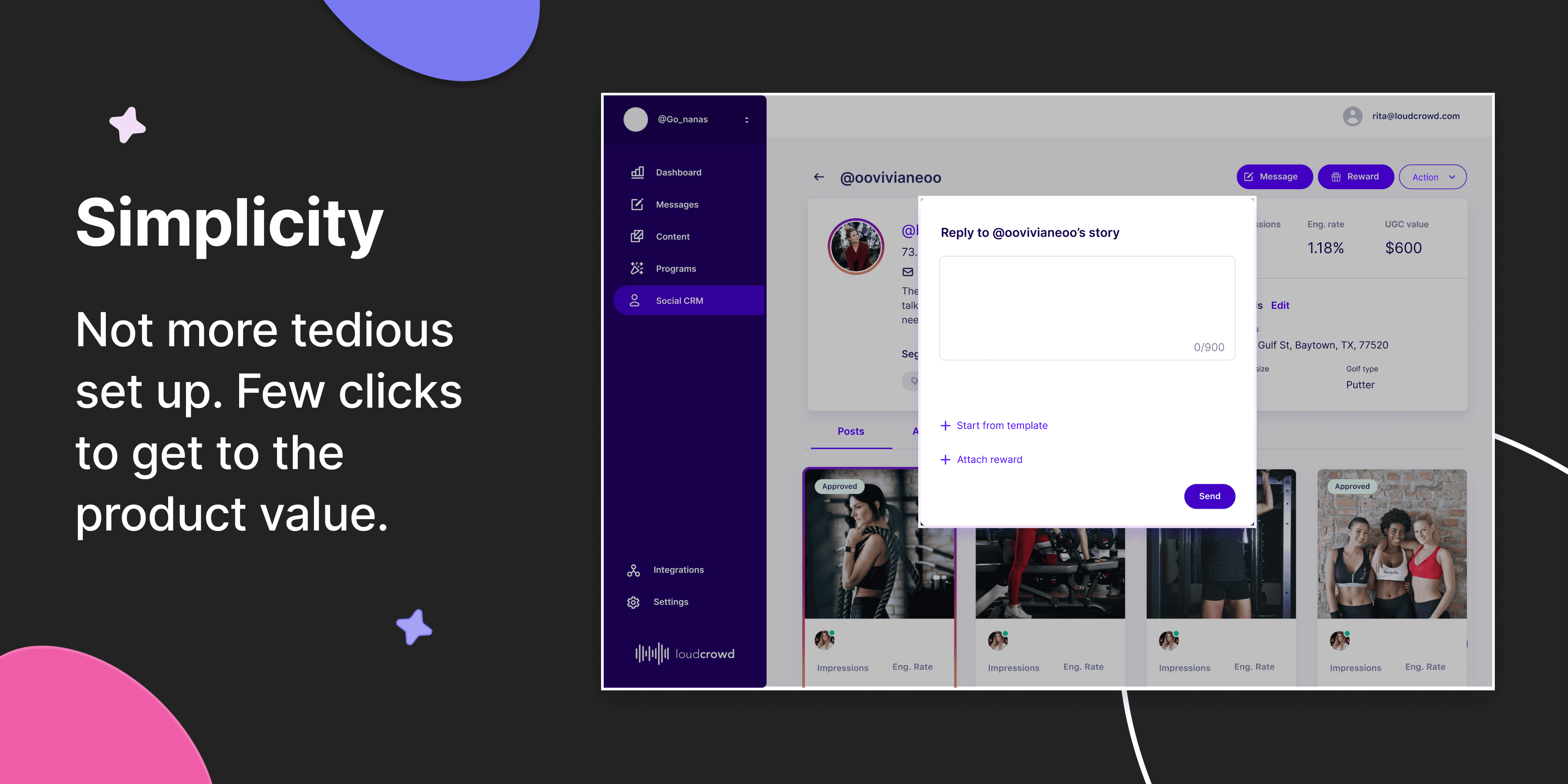


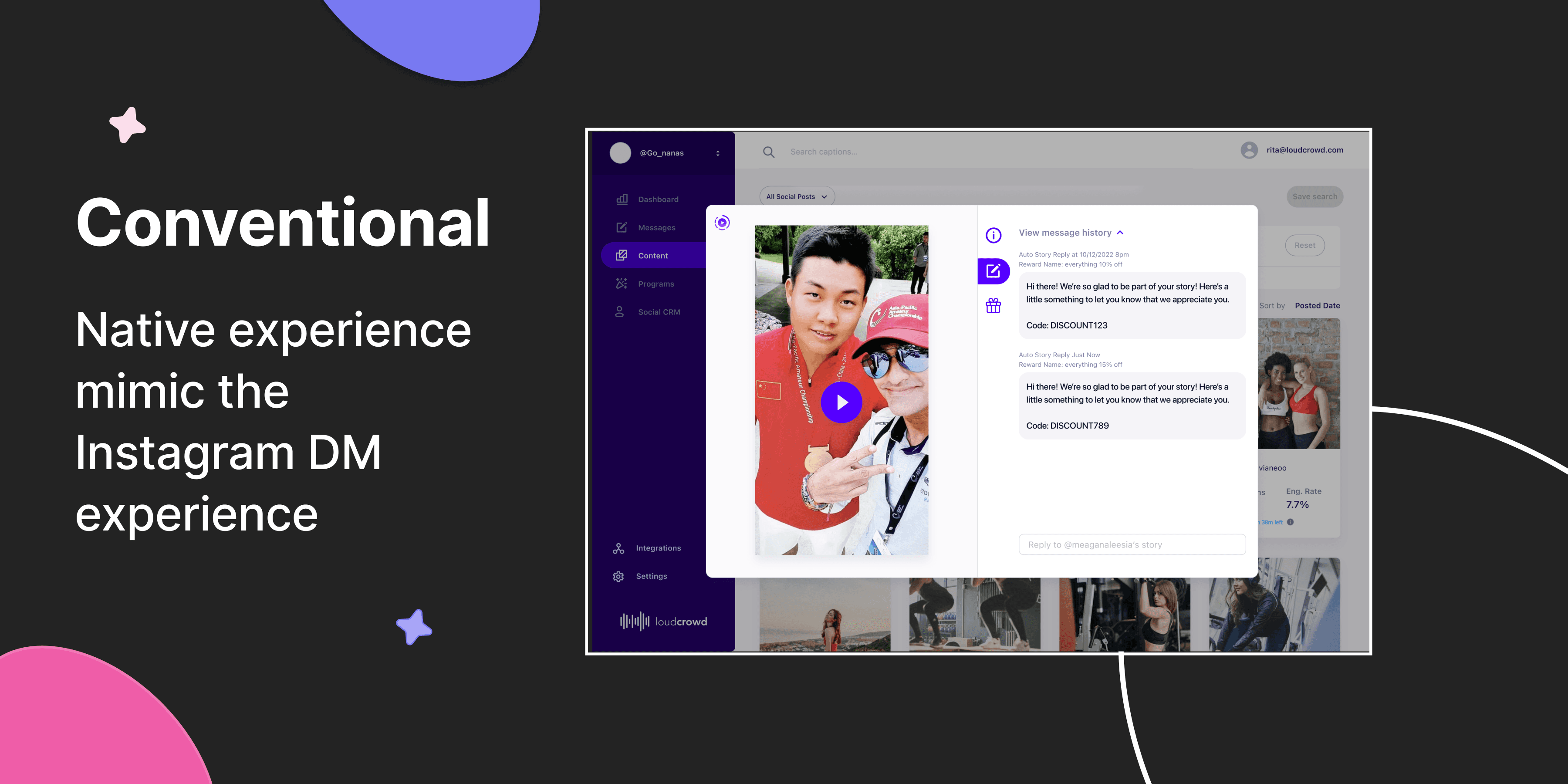
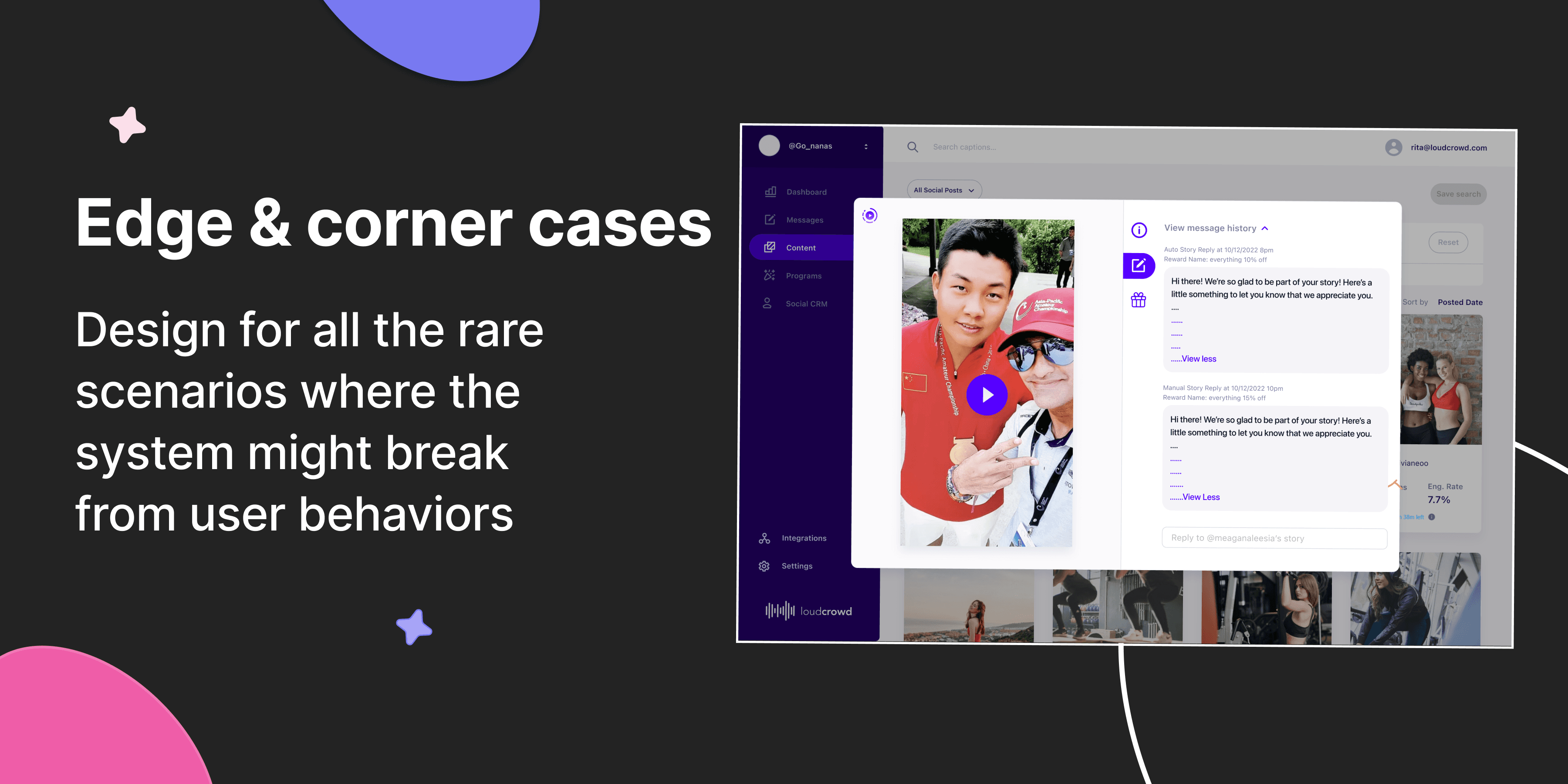

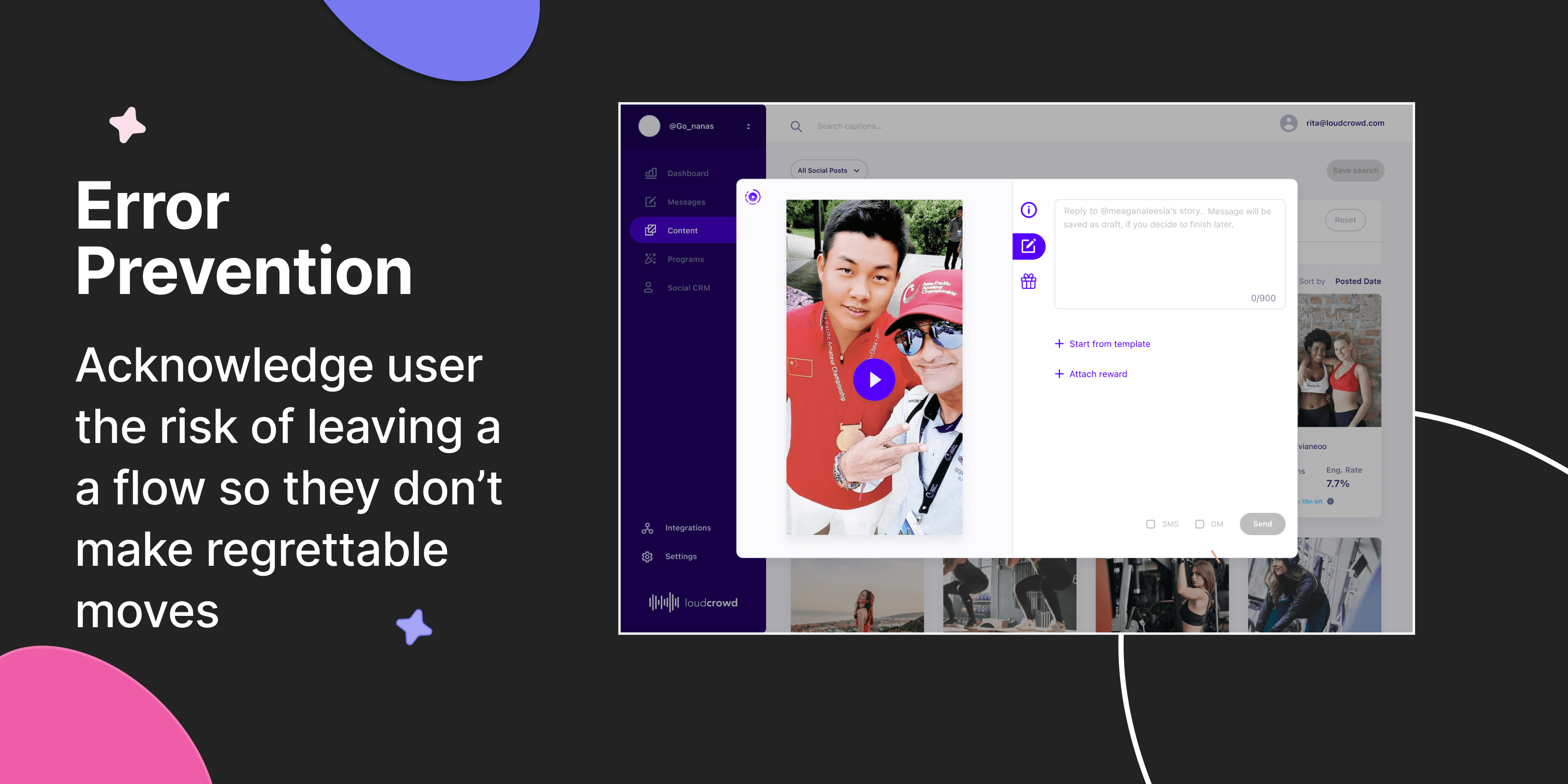

The prototype offered the team a clear product vision and alerted PM to future feature issues. The final design was then implemented by the development team, underwent internal testing, and was launched on the Loudcrowd platform for customers. 👉 Check out feature demo
So, how we got there?🧐
Strategy
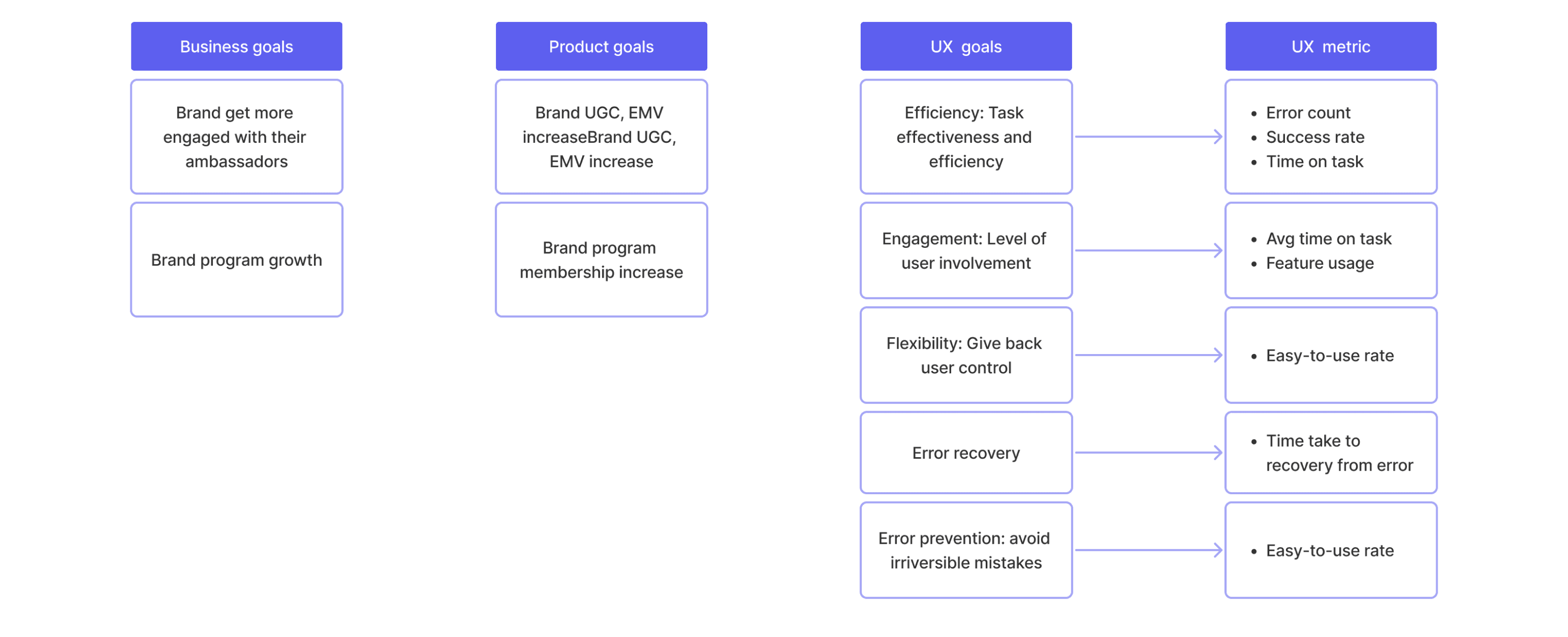
Setting Goals & Metrics
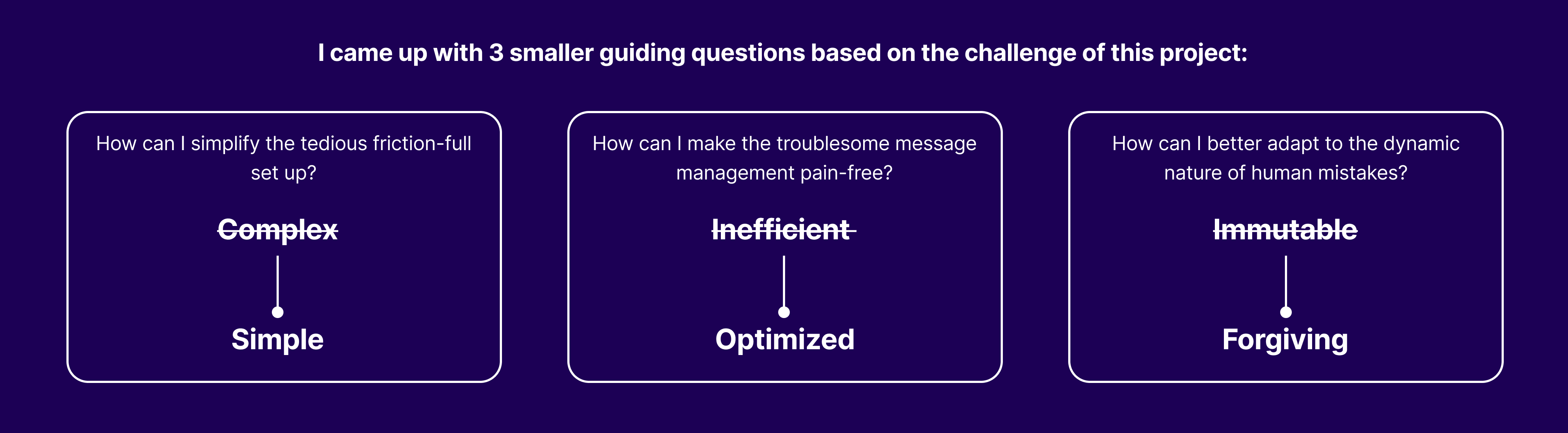
The first thing is to set up clear design goals I want to accomplish. To understand what success looks like, I used guiding questions to define the UX design goals and UX metrics.
User Stories
PM and I collaborated with customer success team to gather 4 user stories based on the formula — “As [a user persona], I want [to perform this action] so that [accomplish this goal].”
As a brand manager, I want to send one or a group of creators event invitation, so that I can invite them show up for special brand event.
1
As a brand manager, I want to message my program members contest brief and message contest winners so that I can show extra love to the winners.
2
As a brand manager, I want to spot gift non-story posts for creators outside of the program so that I can reach out to other quality UGC creators.
3
As a reviewer, I want to reach out to the program member and let them know why their post was rejected so that they can make better content in the future.
4
User Story Map
User story is not enough to see the user actions in low level details; hence, I created the user story map to map out 4 user stories entirely, so I know what the MVP of the V0 release is. I was able to identify a few risk items (technical limitations, assumptions and pain points). Those risk items were address one by one as I go through the flow with the PM.
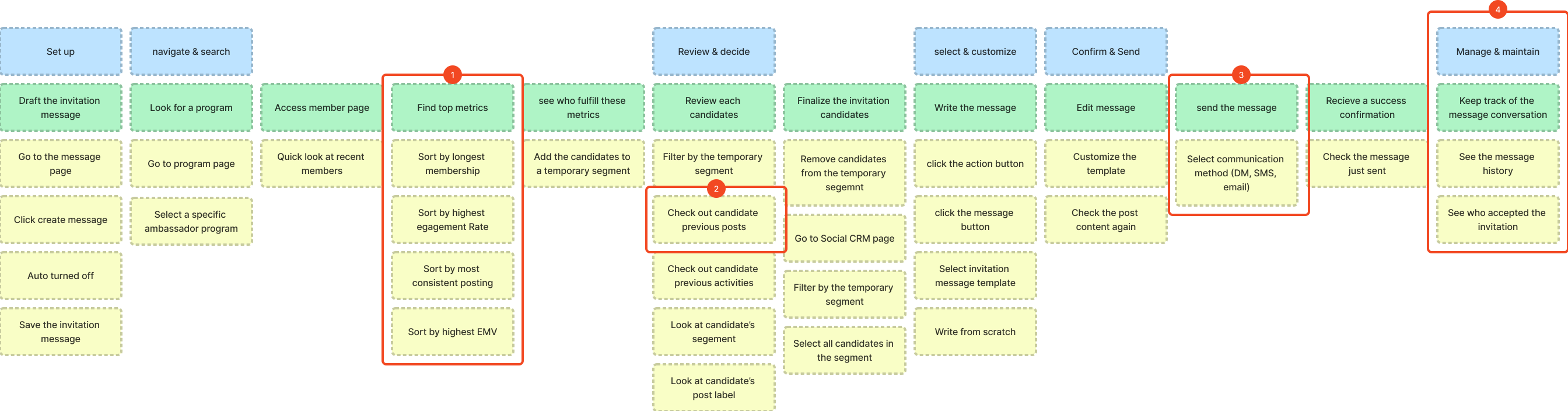
1.Send personalized messages to 1 or a group of candidates
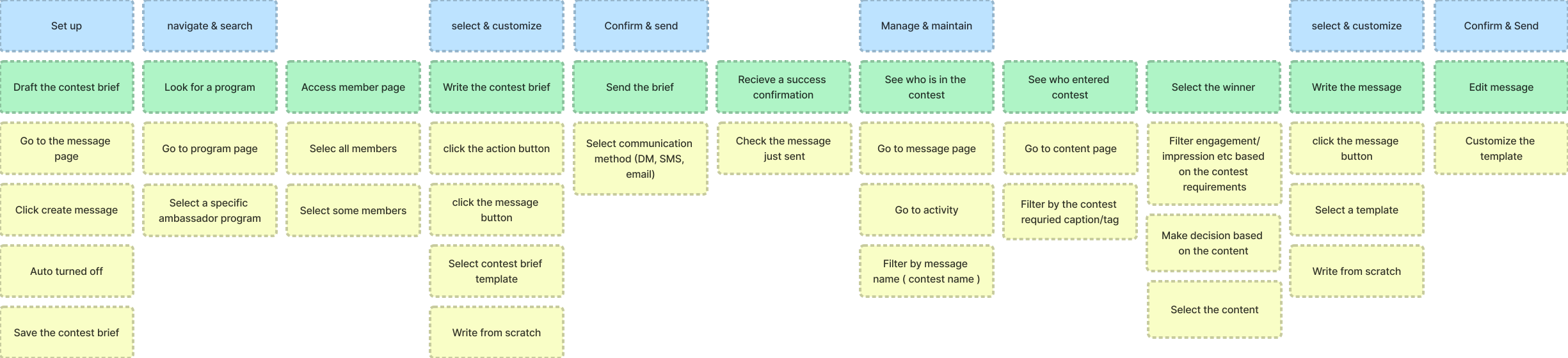
2.Send contest brief and message story contest winners
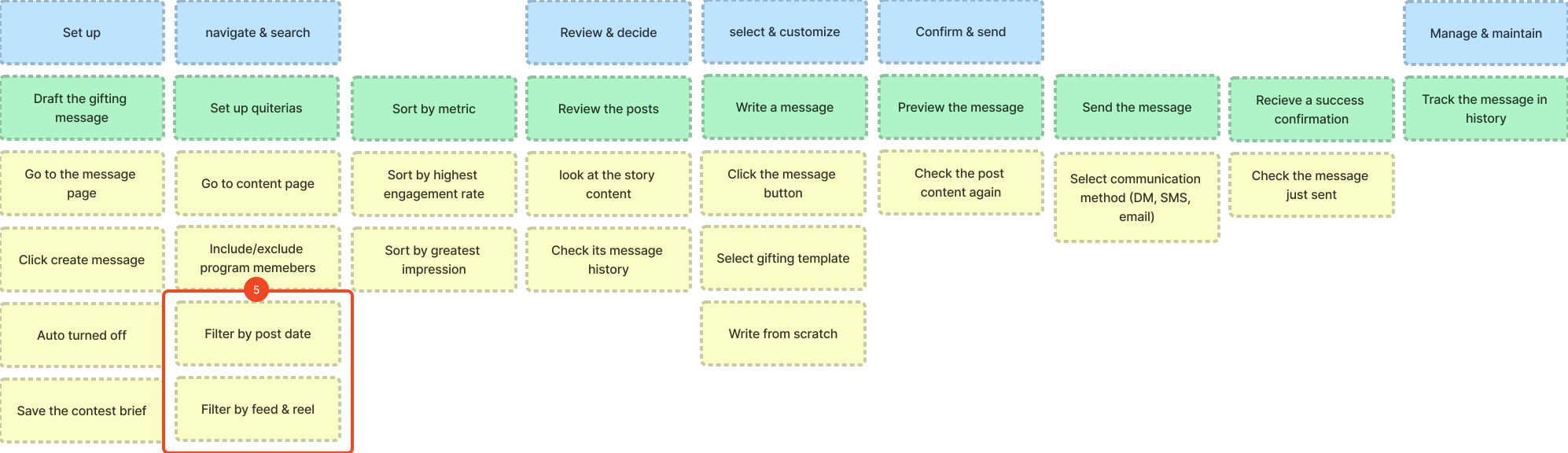
3.Spot gifting for non-story posts for creators
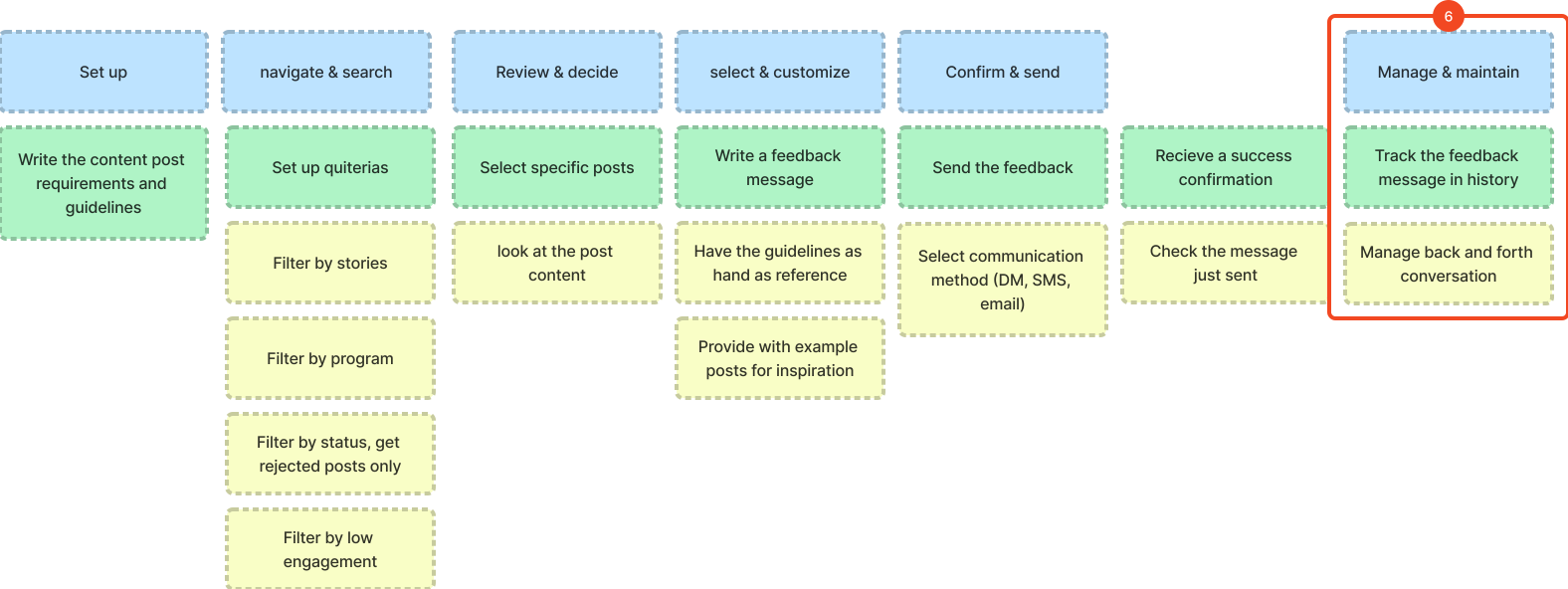
4.UGC Reviewer Feedback
Scope
Scope & Prioritization
After identifying risk items, we scoped down on to two user stories which are more important for brand managers and more feasible for V0.
Personalized messages (invites) to 1 or small group
Send out a contest brief and select a story contest winner
Spot gifting for non-story posts of the week/month ( out of scope )
UGC Reviewer Feedback ( out of scope )
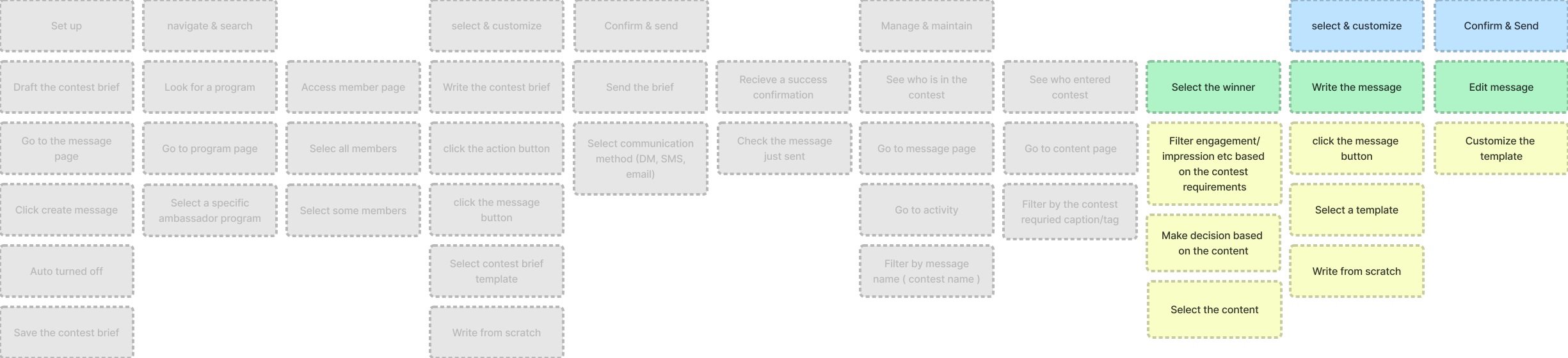
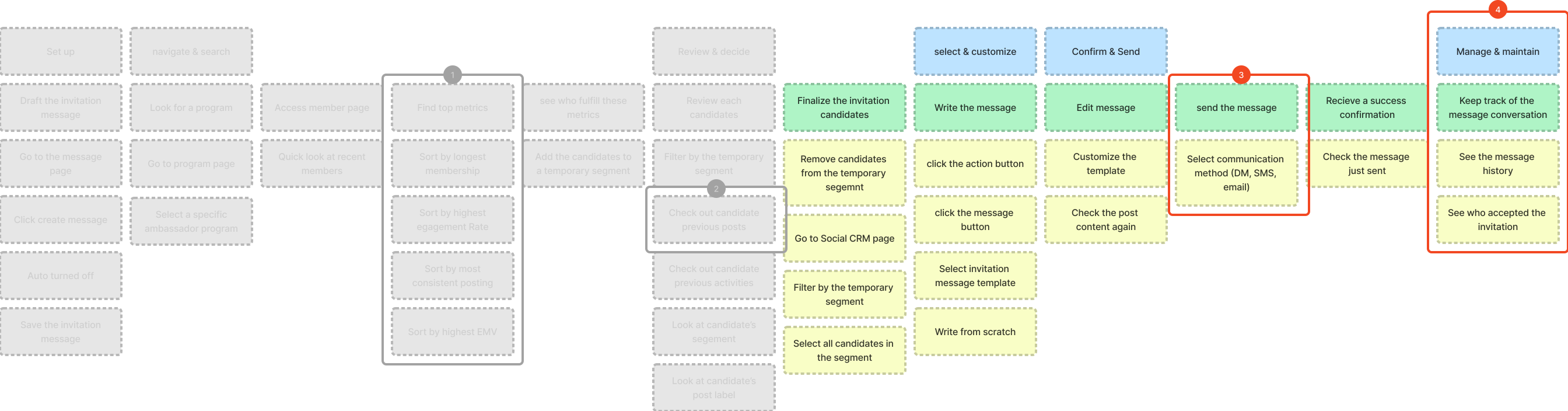
Then I greyed out areas in the two user flows what is not in the scope of this project, so I can focus on just the message activity part of the flow.
Send personalized messages to 1 or a group of candidates
Send messages to the story contest winner
Out of scope
Out of scope
Structure
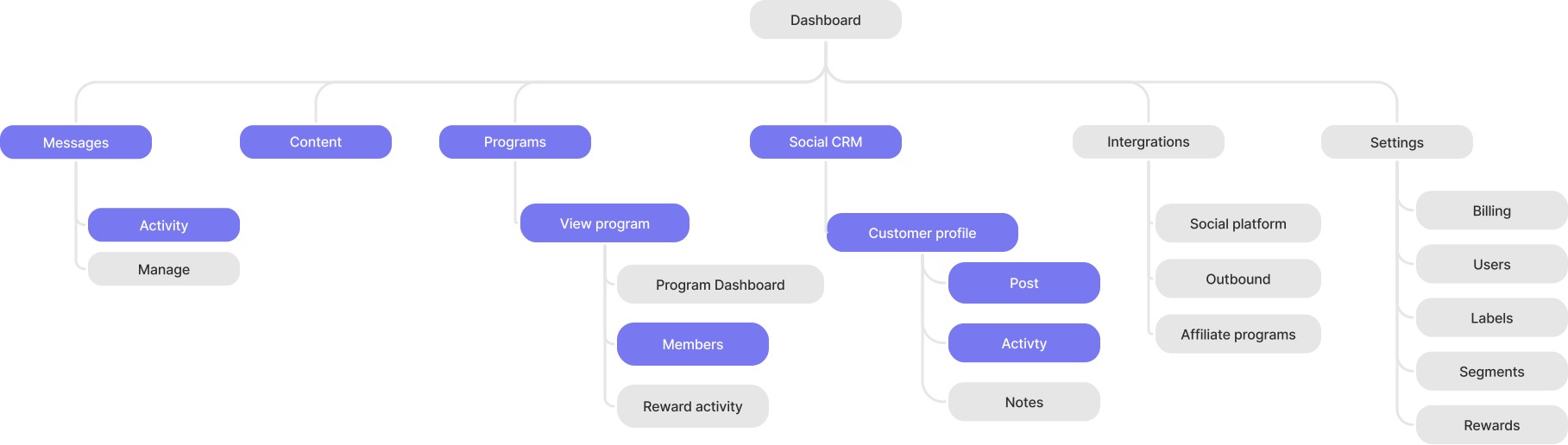
Sitemap
Since I am designing on top of an existing information architecture, I did a site map to help myself have a overview of what pages are involved or impacted and their relationships.
Interface
Ideation & Iterations
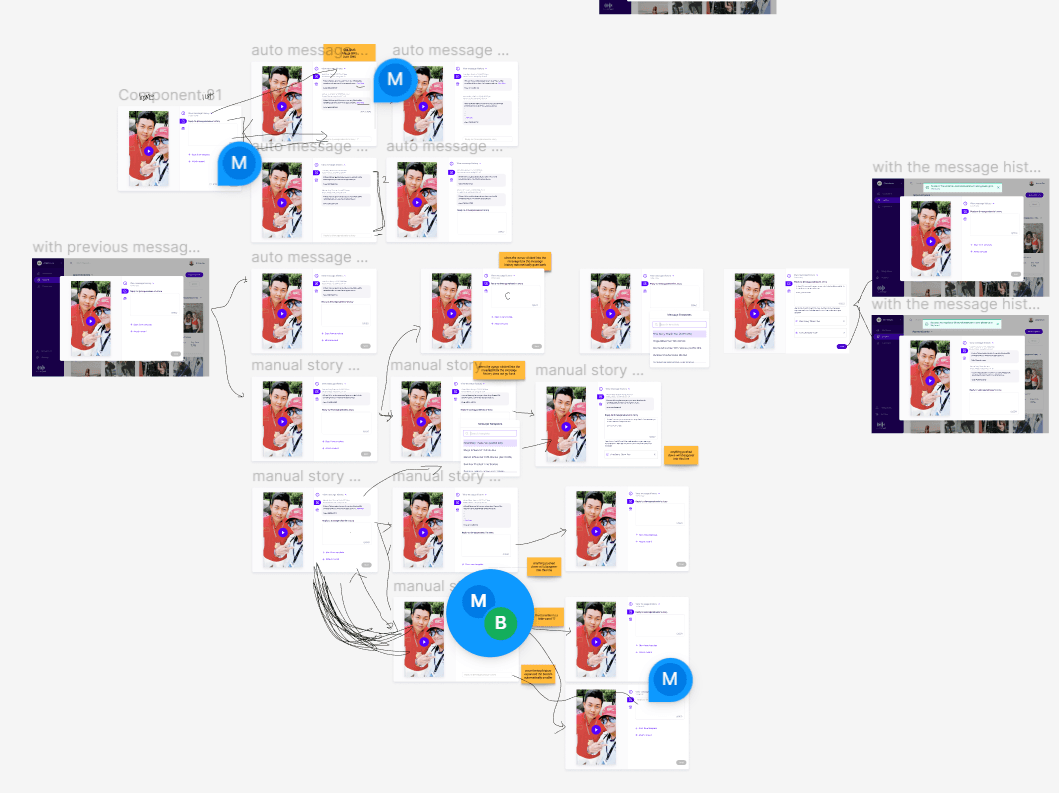
I start with brainstorming by looking at similar interactions for reference and inspiration. Before the design is ready for development, I continued to revise my design with the feedbacks from the different teams until there are no major issues.
I gathered inspiration from various websites, including Google's Material Library, for button usage. Using these references, I brainstormed interactions and possible layouts for the 'message' button.
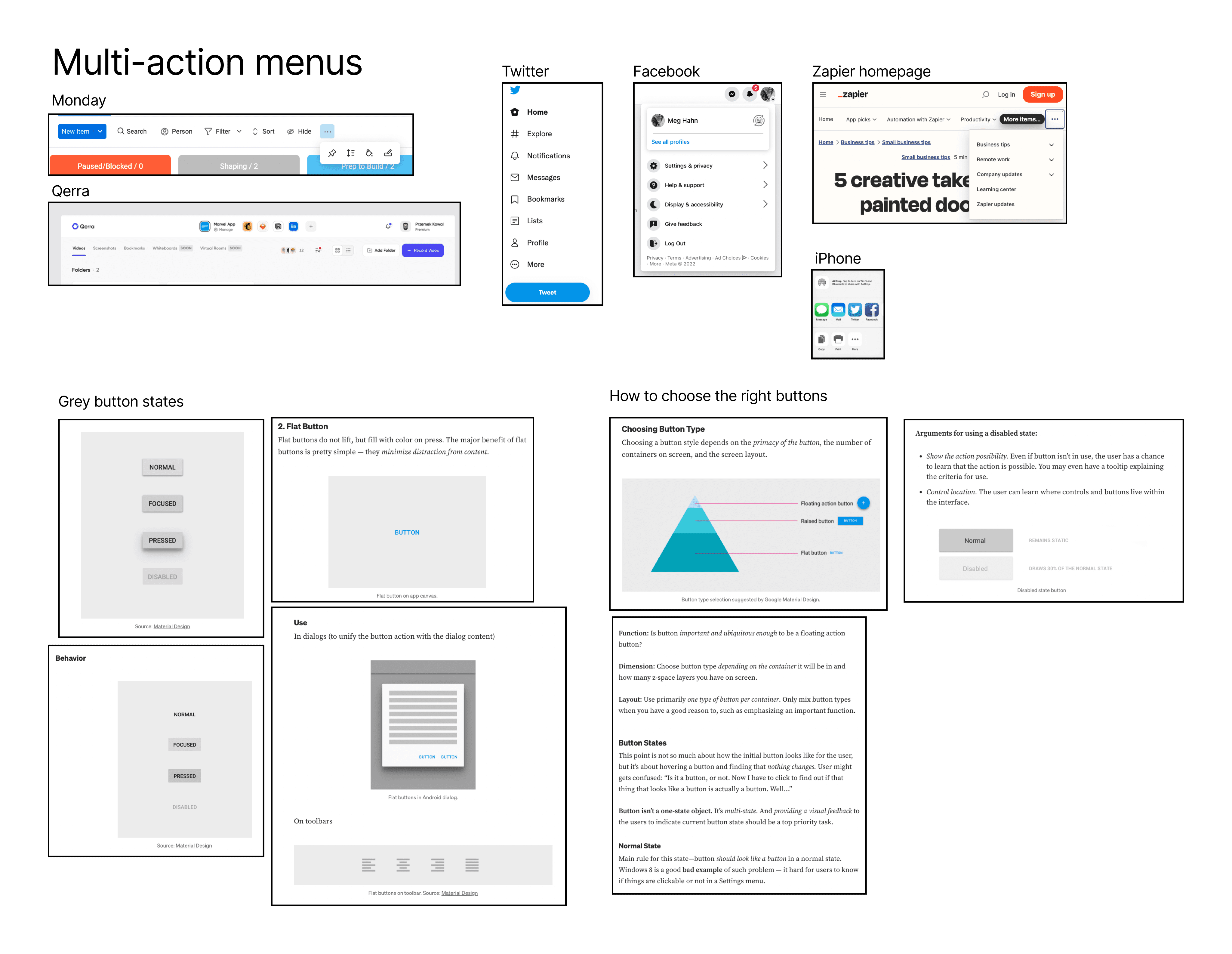
Inspirations and references from various websites


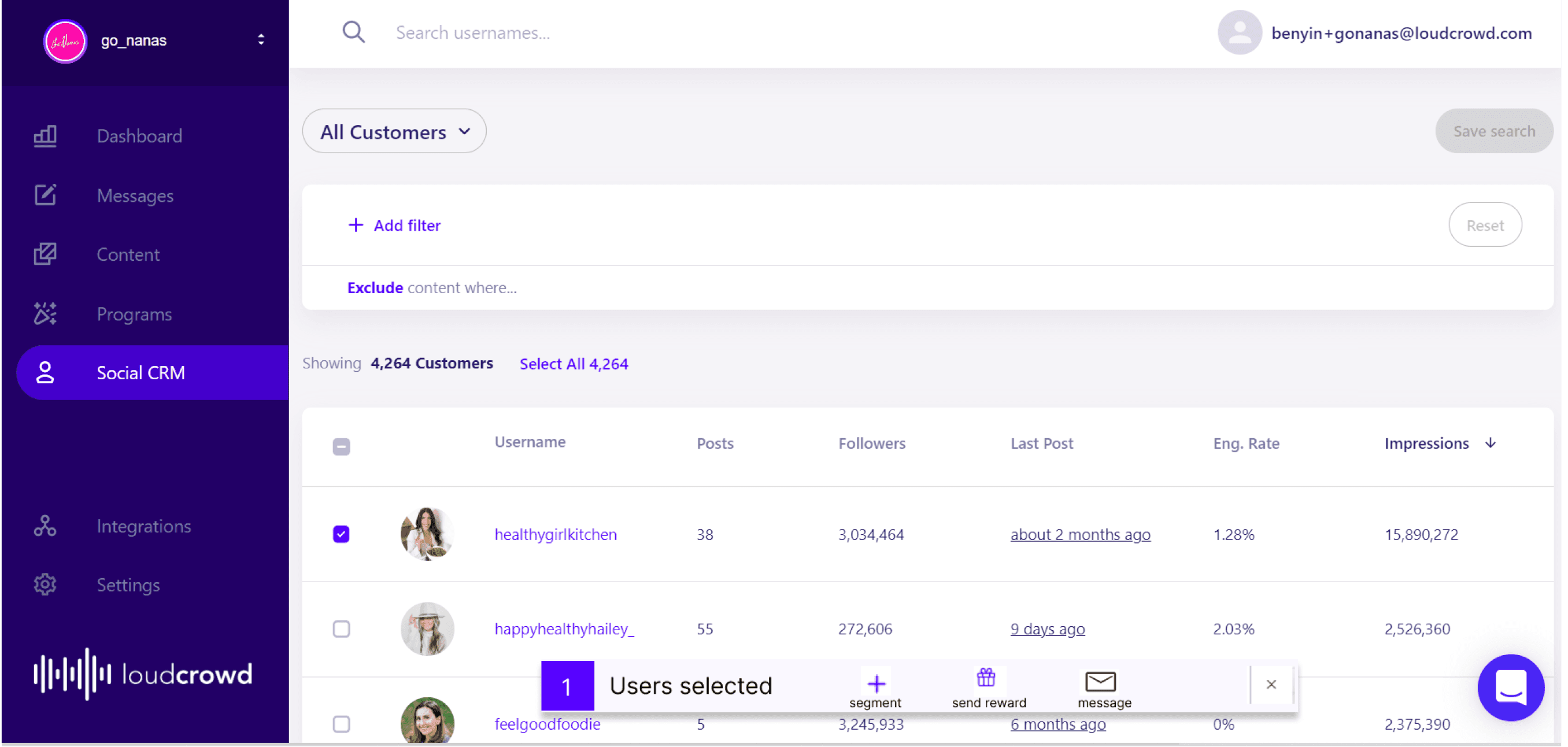

Existing product involved interfaces
Early sketches of me thinking through bulk select and single select
Half way through my exploration, PM has pointed out that bulk select is out of scope since there are other issues with sending to a group of candidates. As a result, we moved bulk select out of V0 so I can focus on single select.
Button on the user profile page
Change template modal
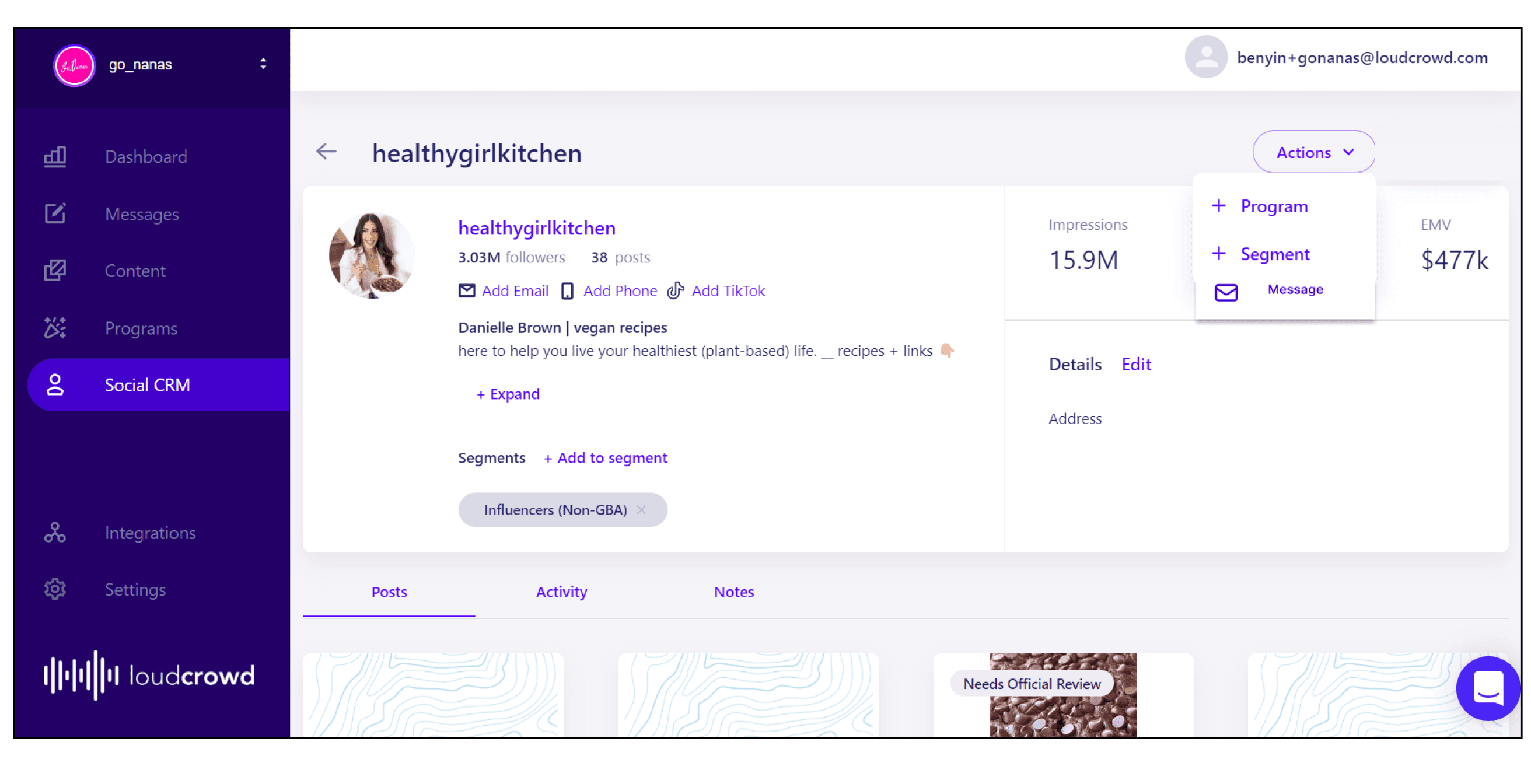
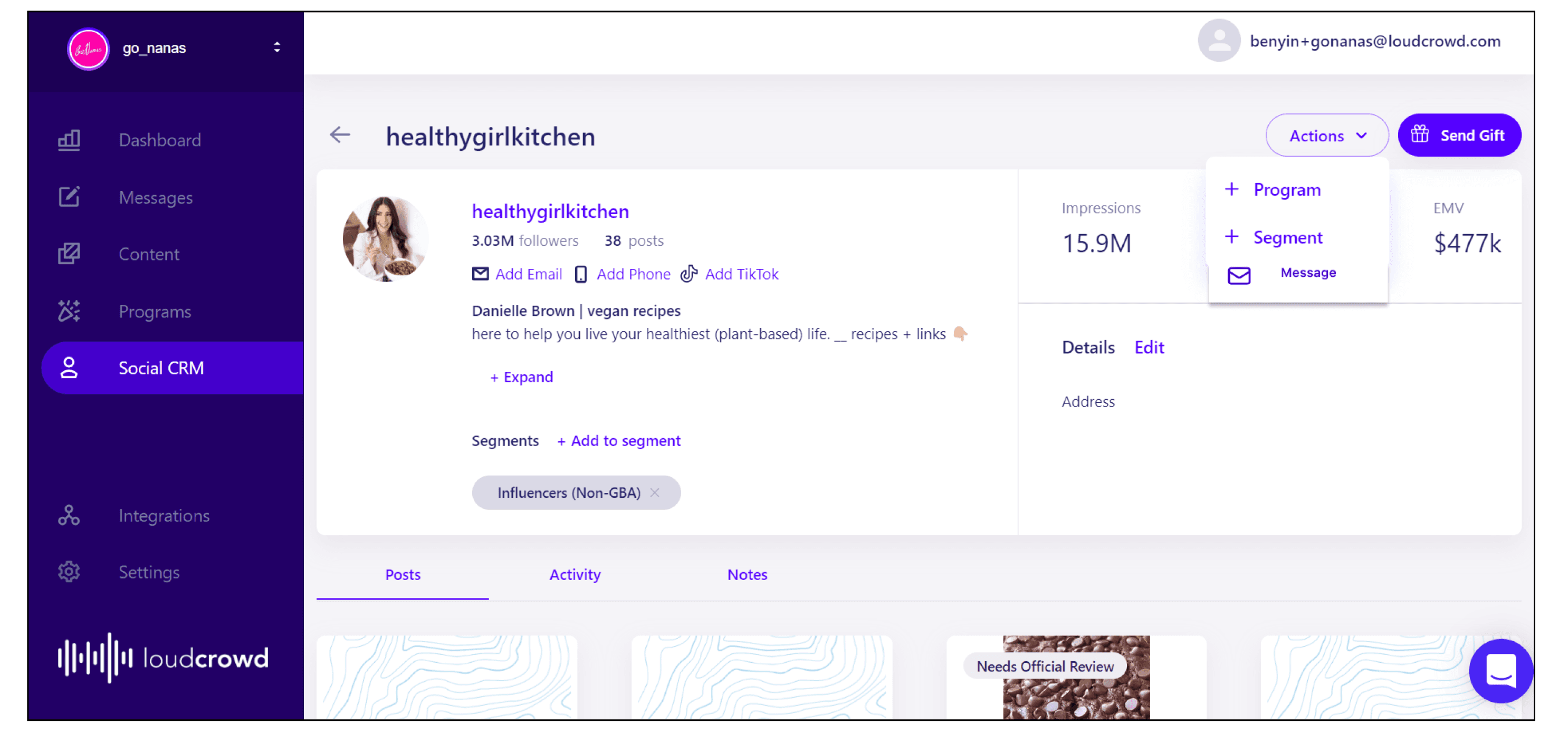


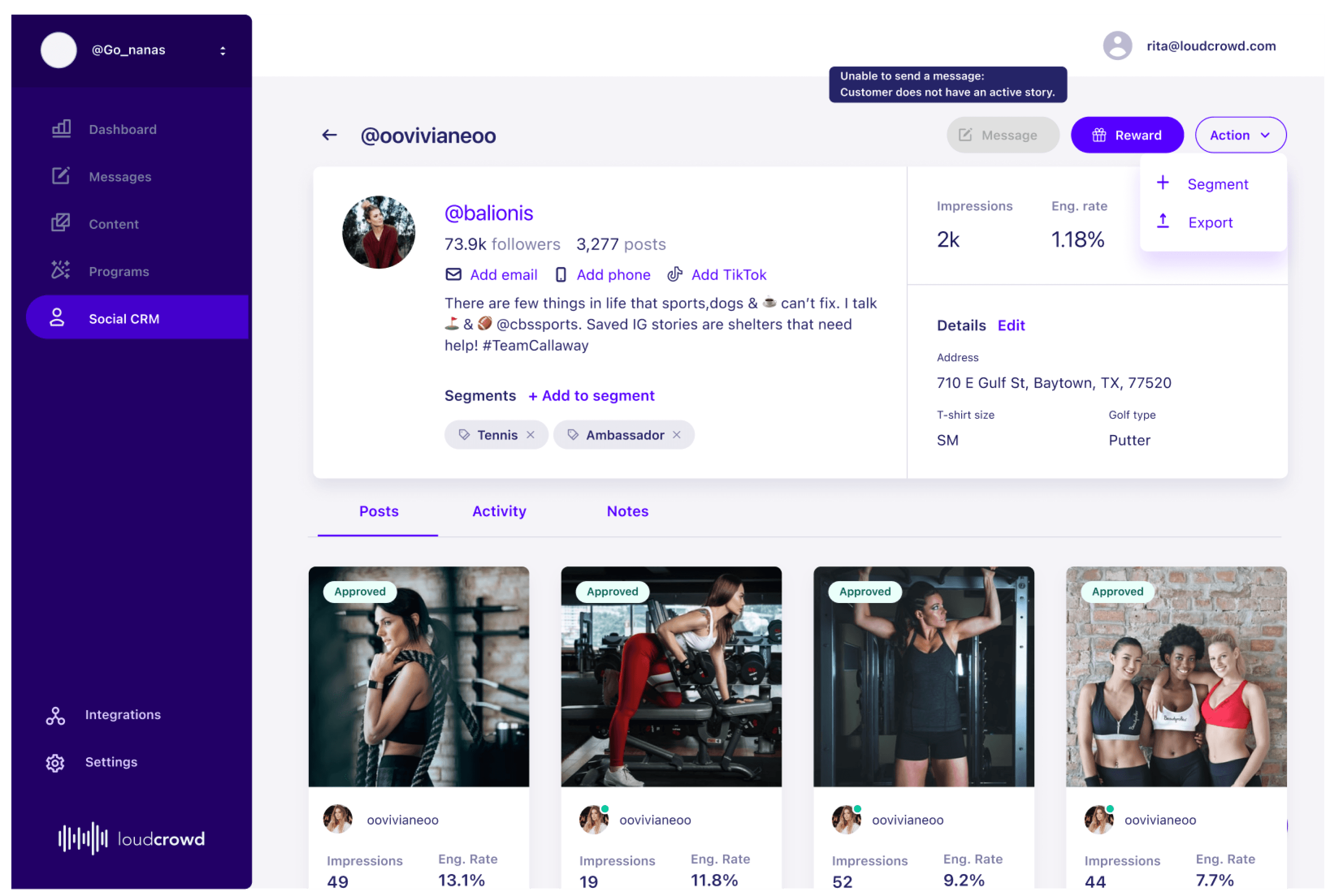
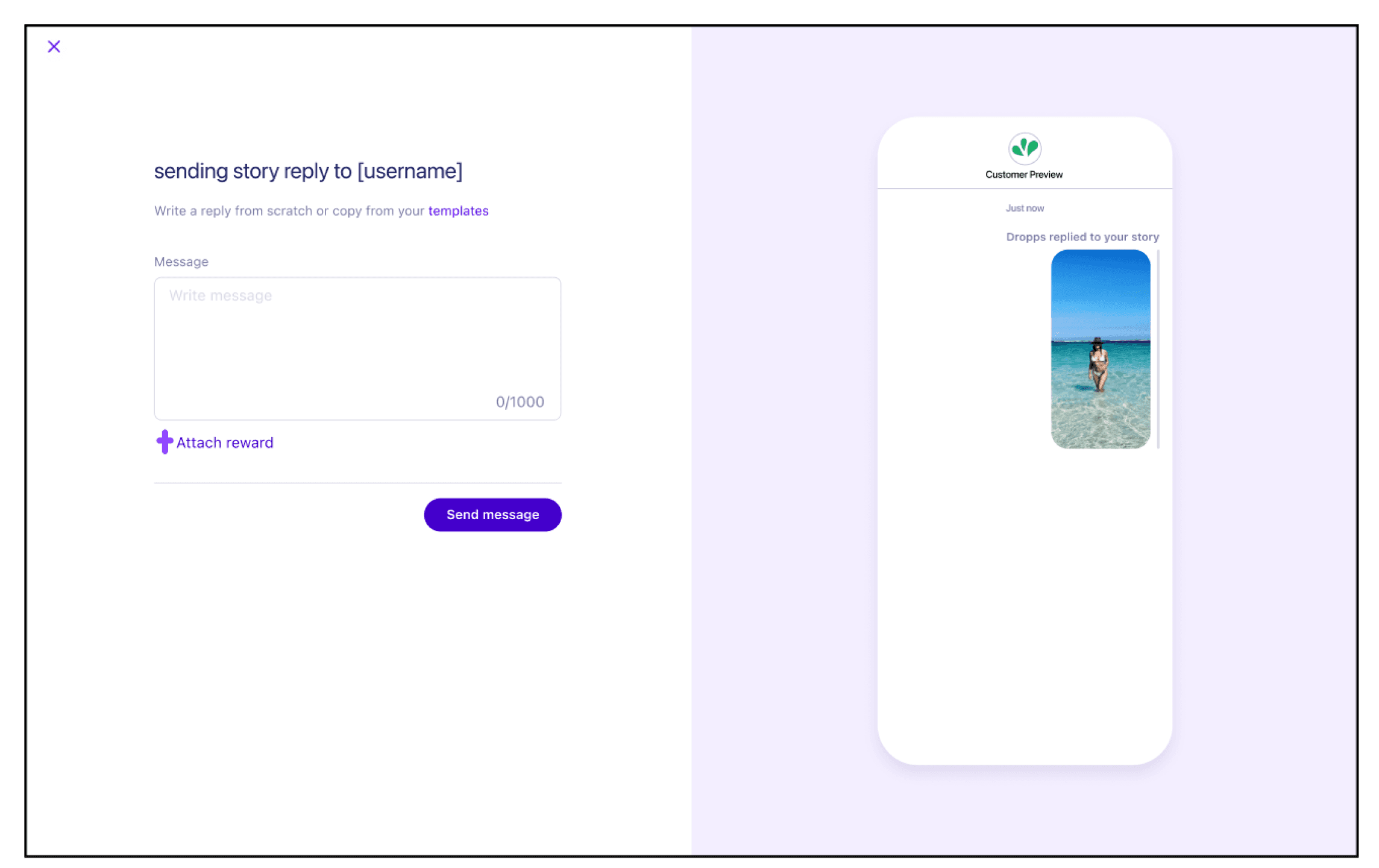


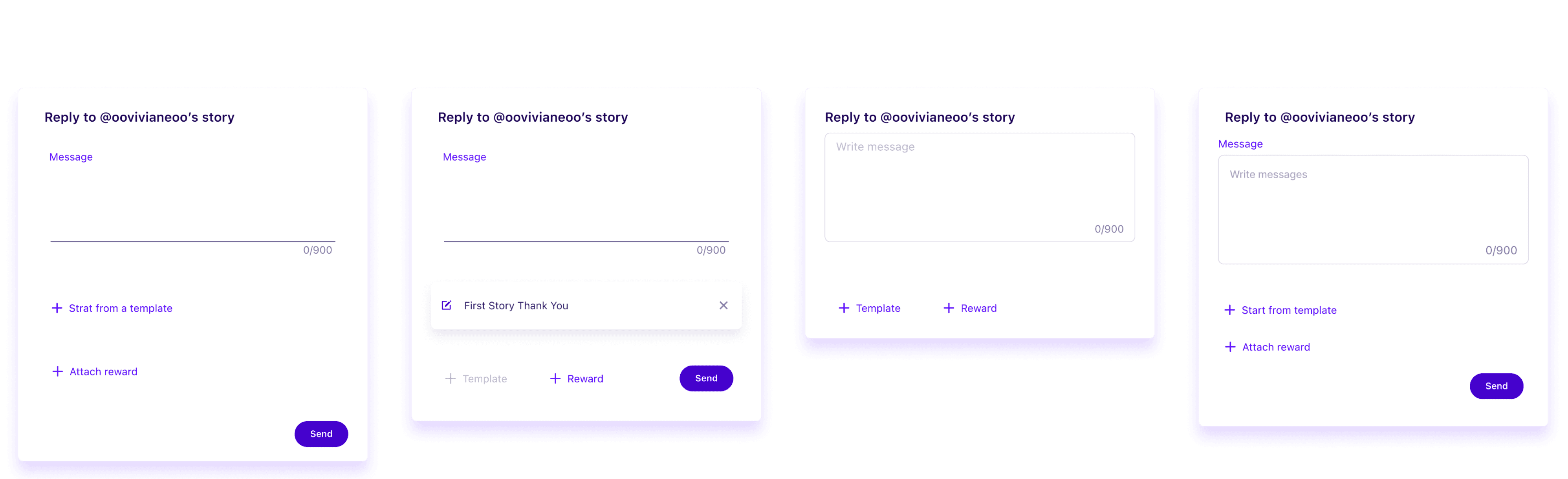

Send personalized messages to 1 or a group of candidates
2. Send messages to the story contest winner
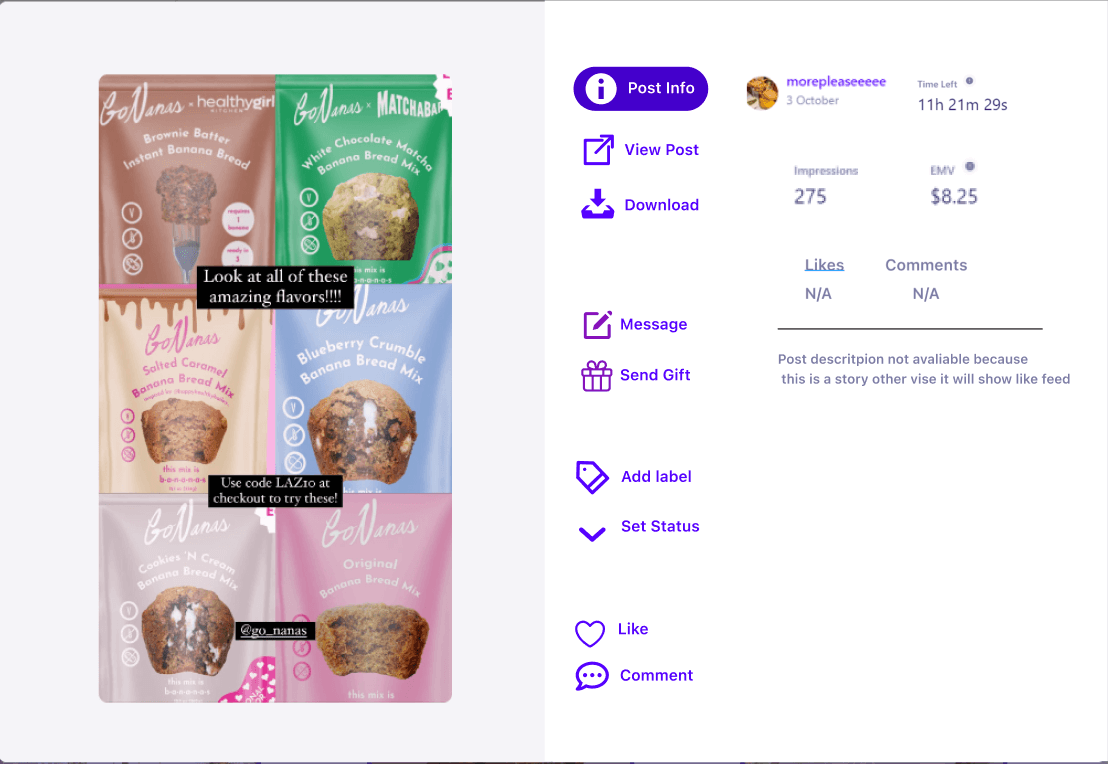
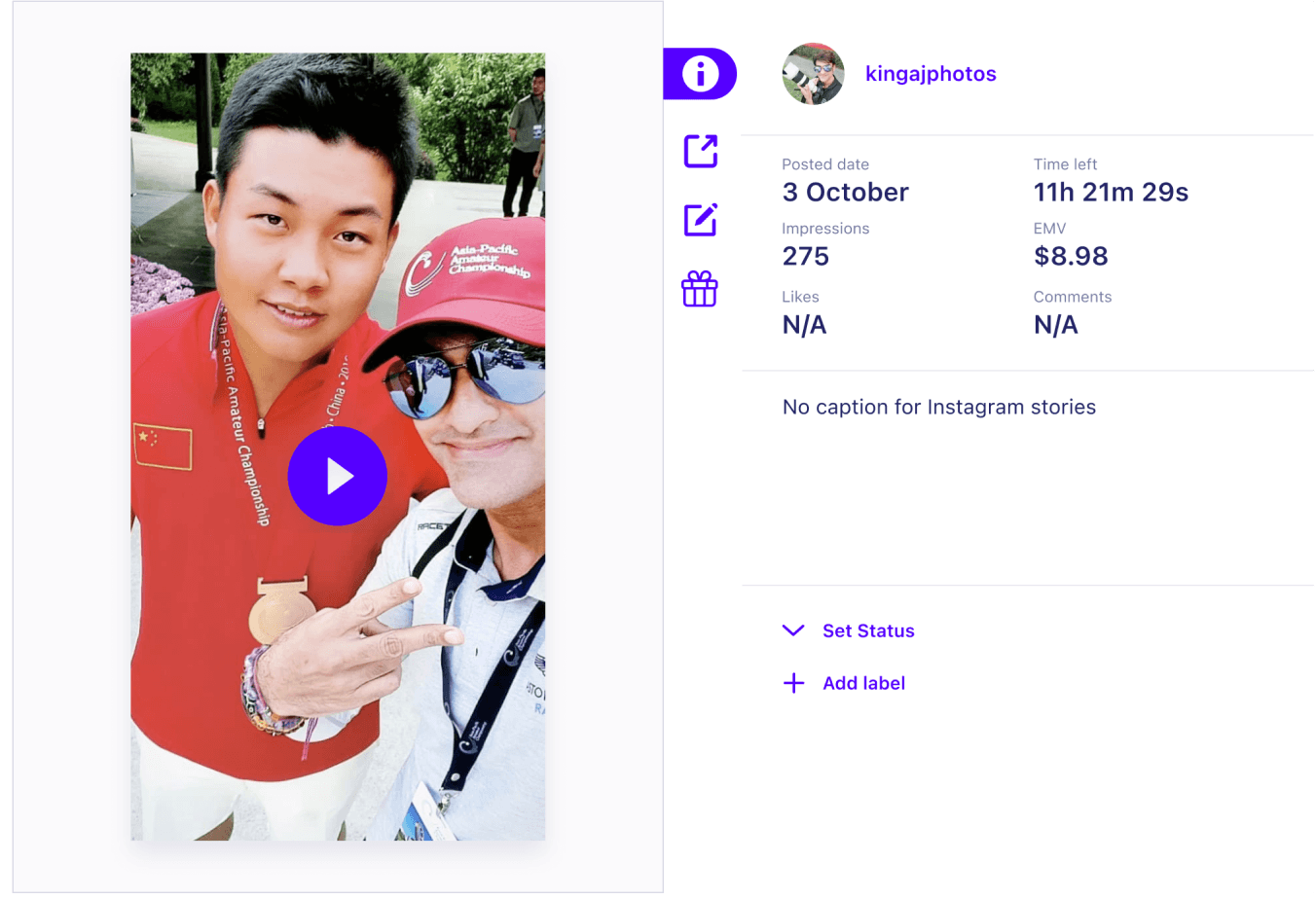
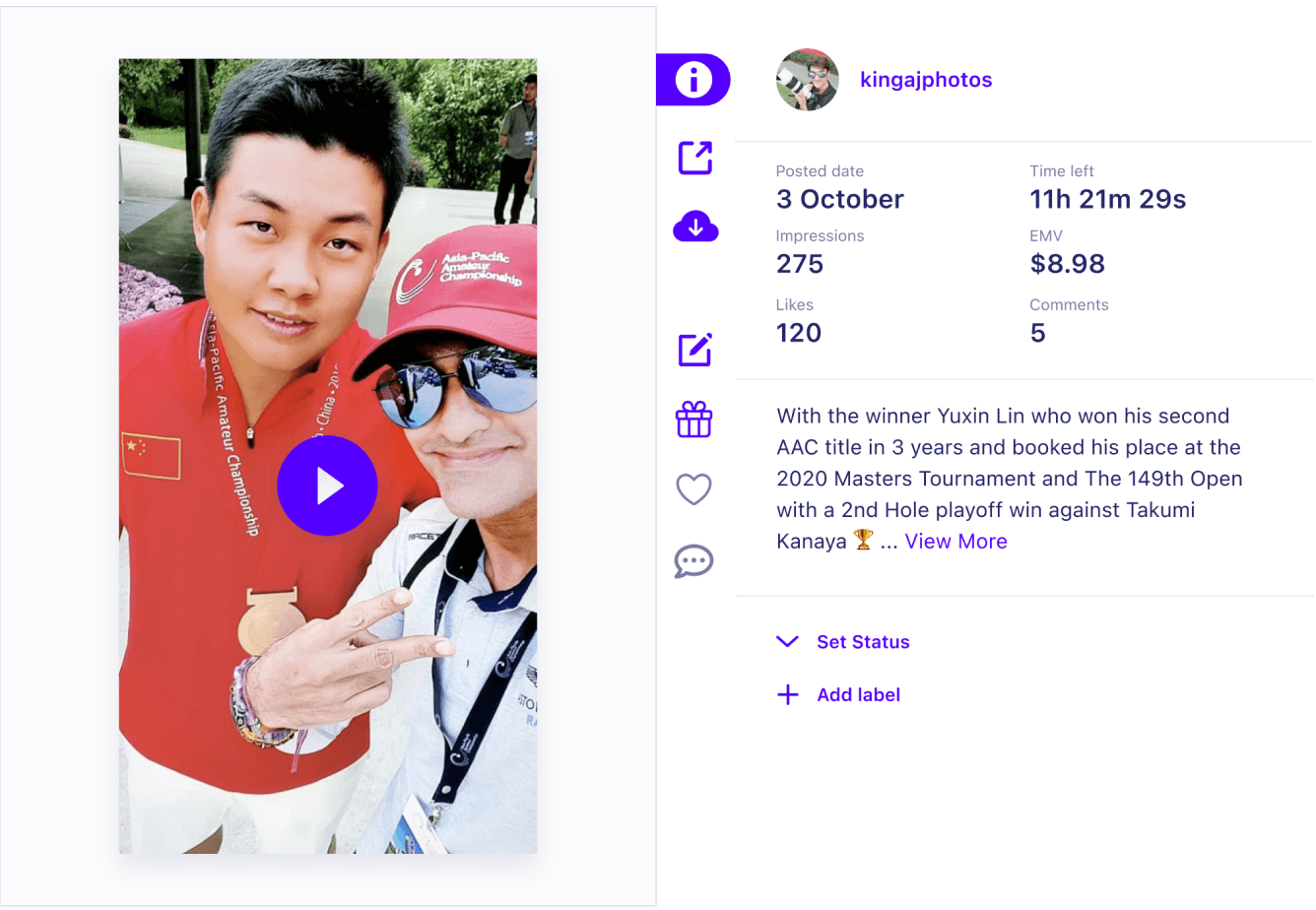
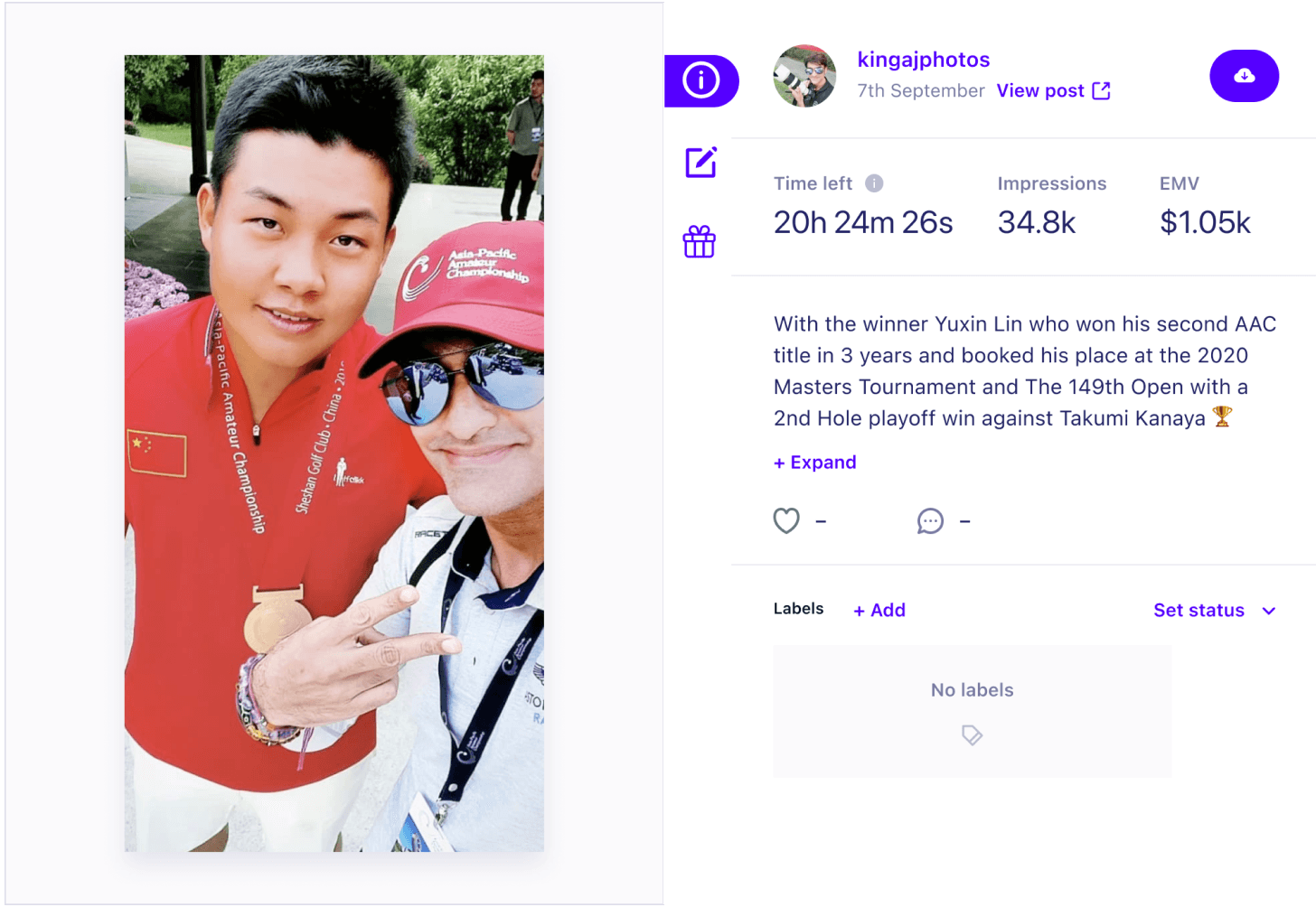
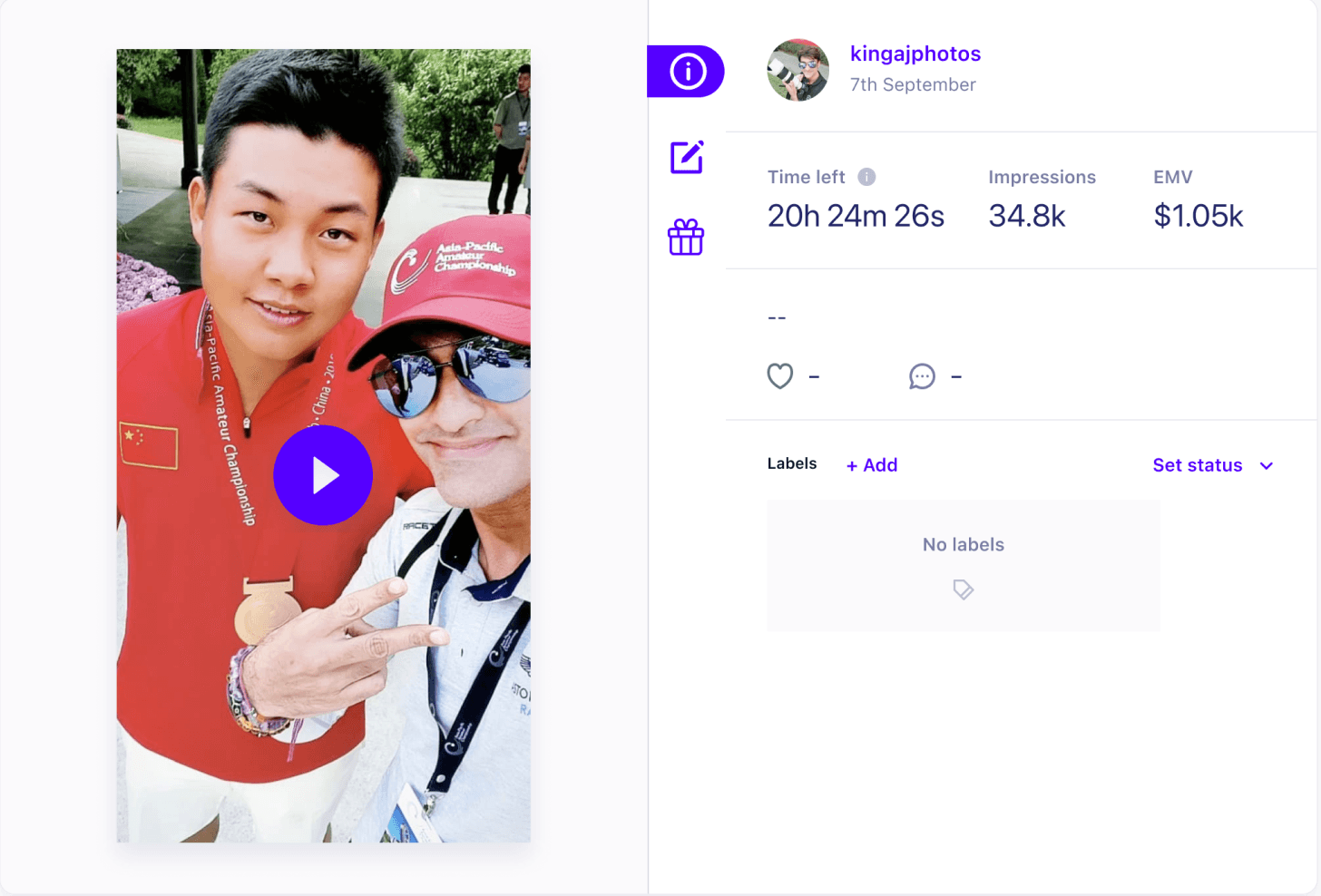
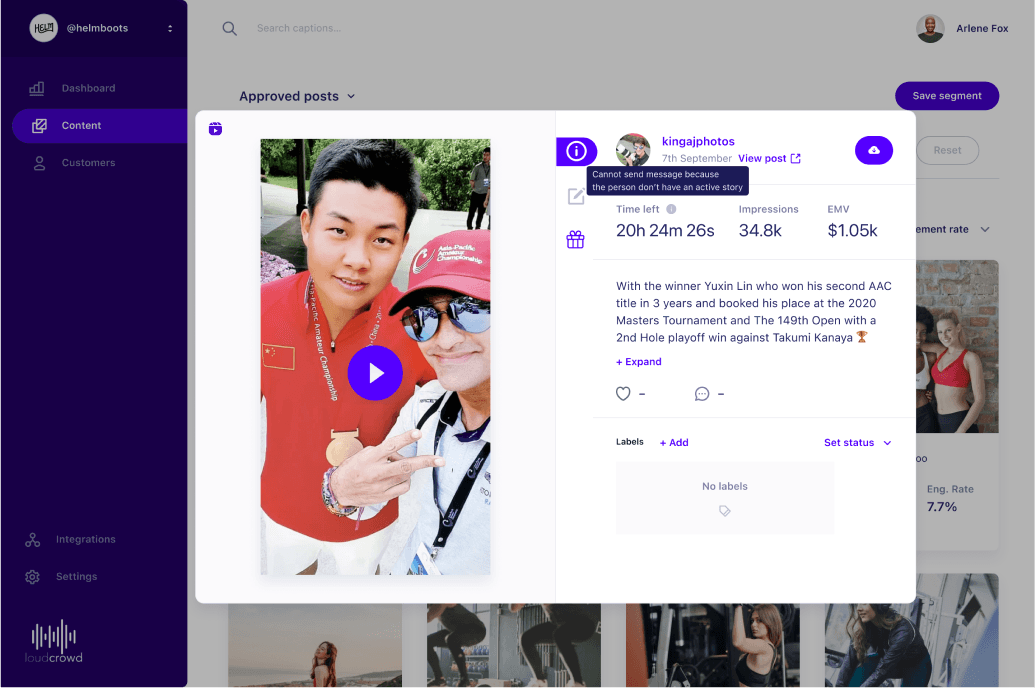
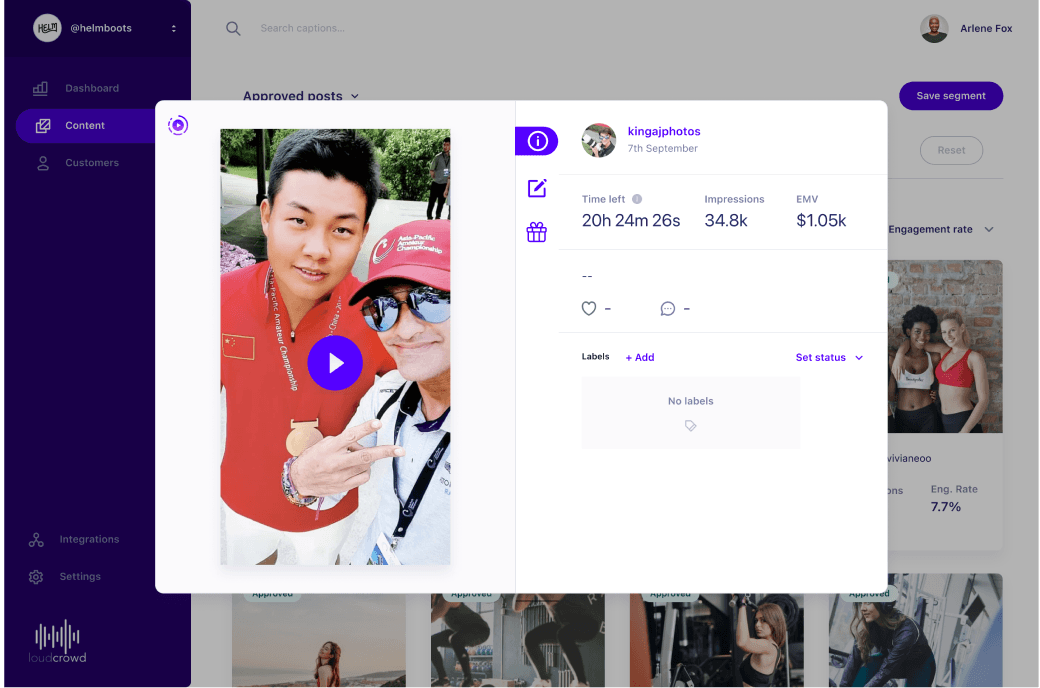
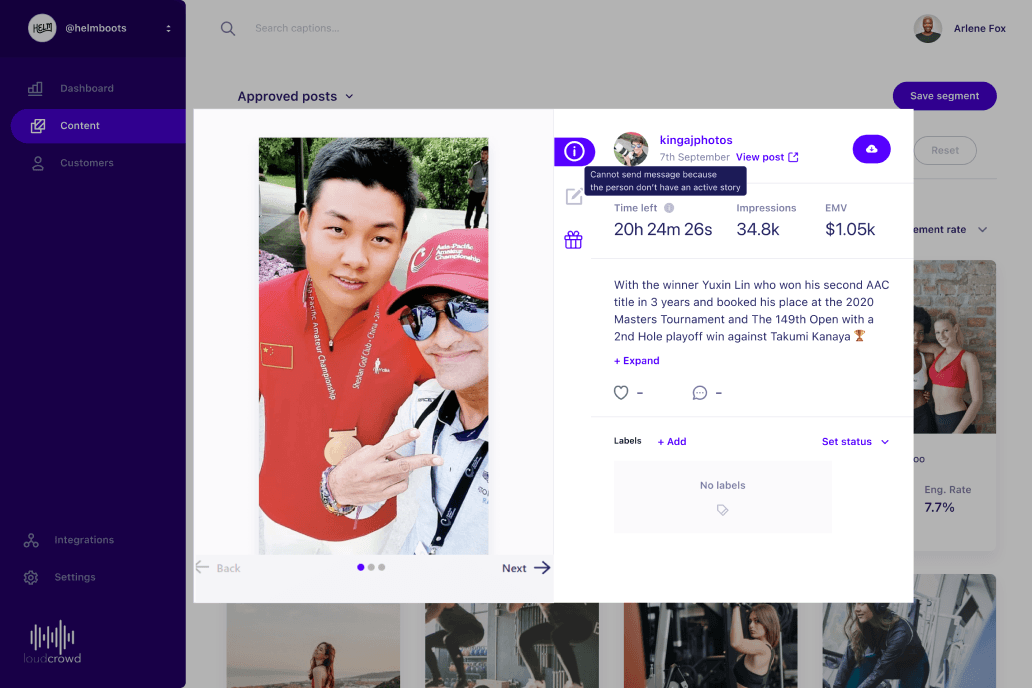
I began by designing the layout of the content modal window and differentiating the designs for Instagram Story, Feed, and Reel. I ensured I understood the current flow to seamlessly integrate the new feature without disrupting other processes.
Inspirations and references from various websites
Existing product involved interfaces( view content pop up modal)
Early sketches of me thinking through the modal layout
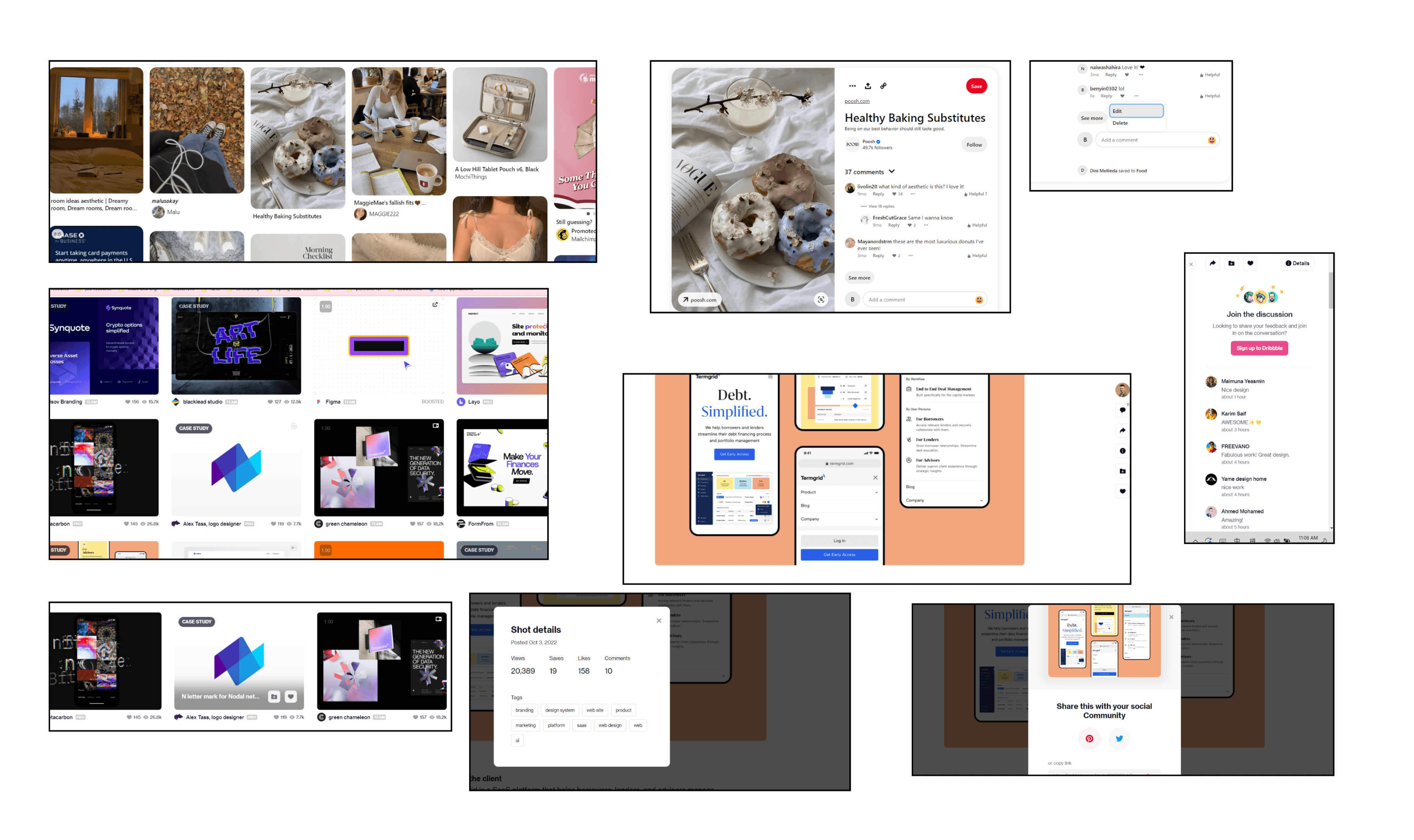
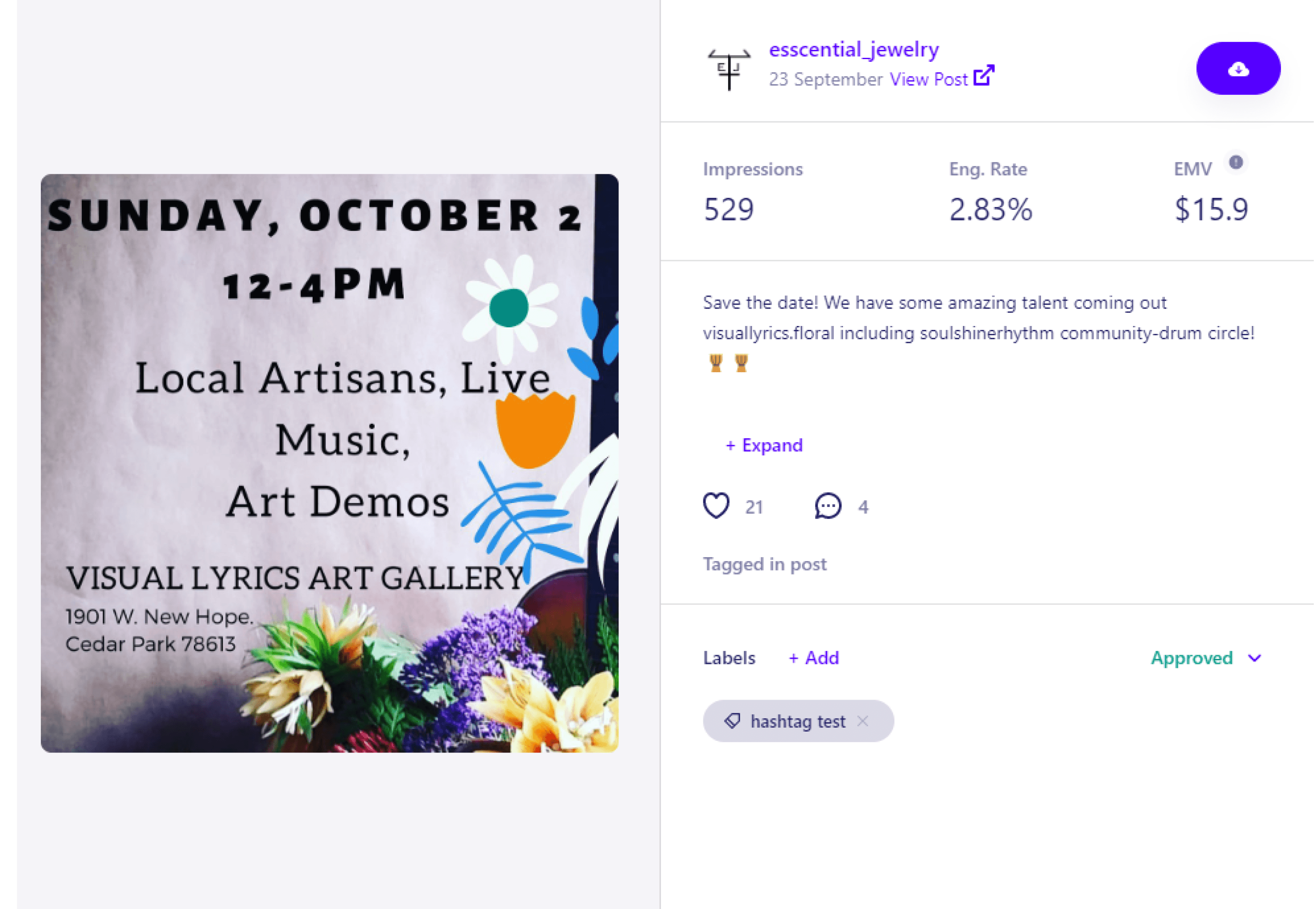

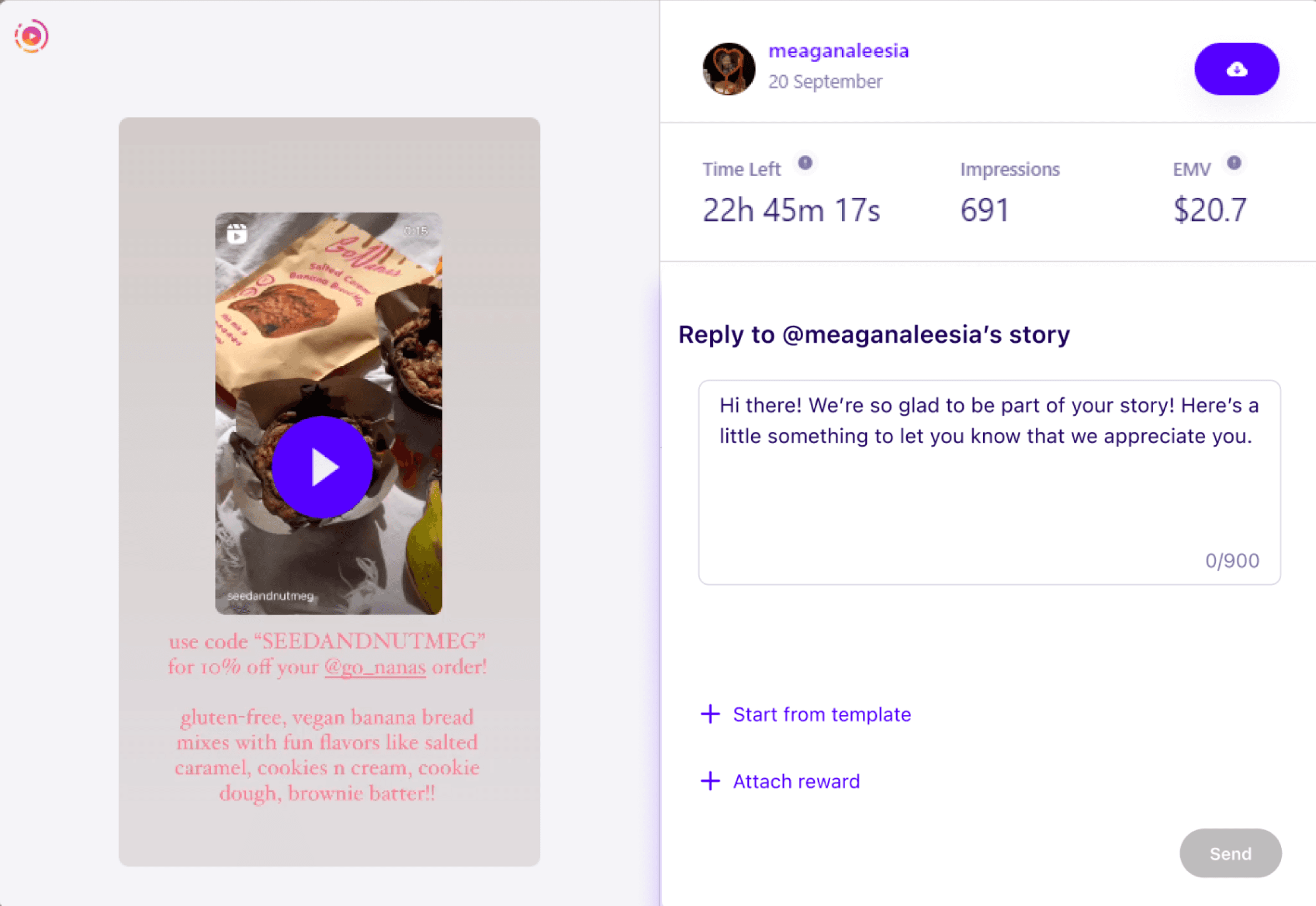
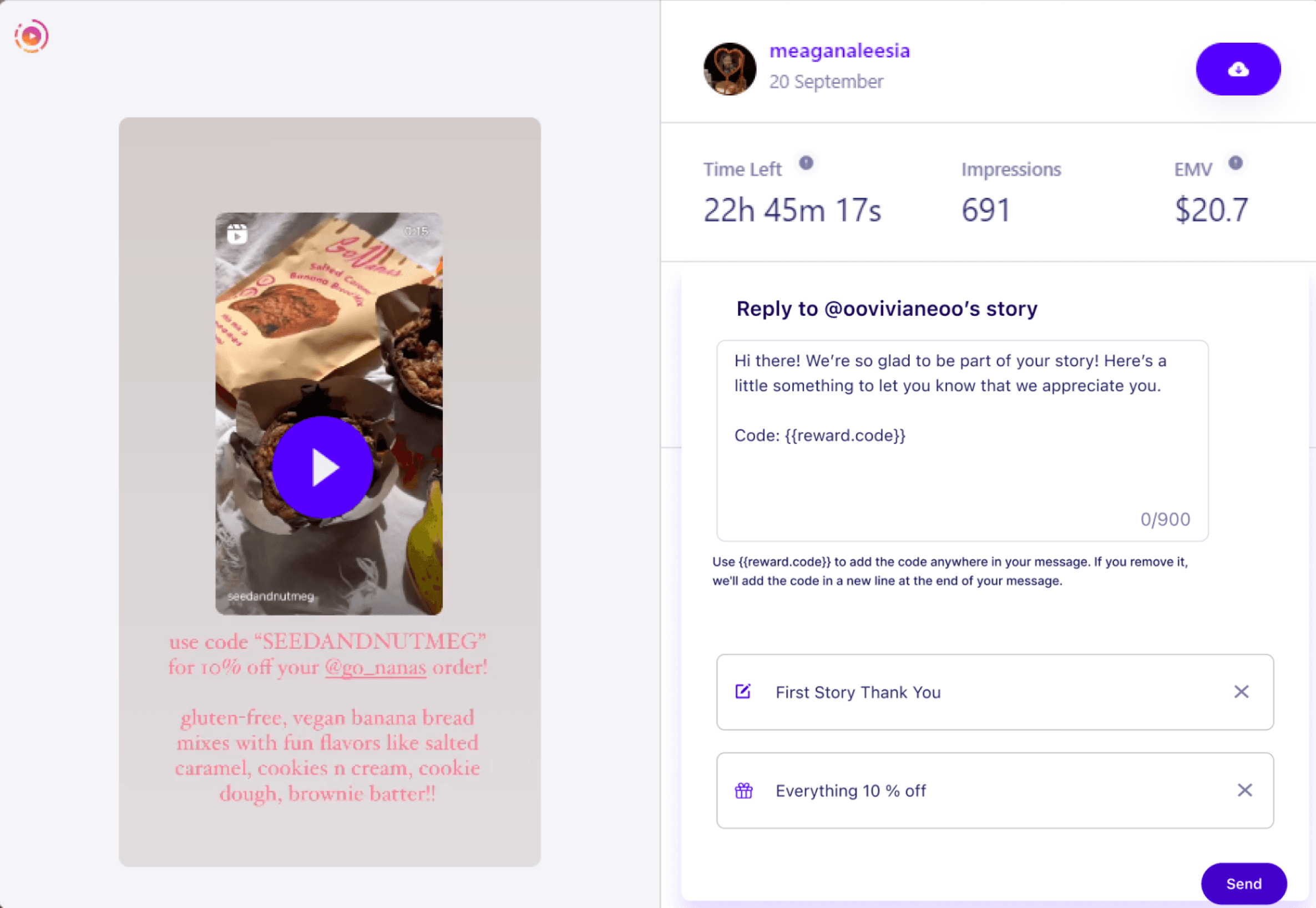
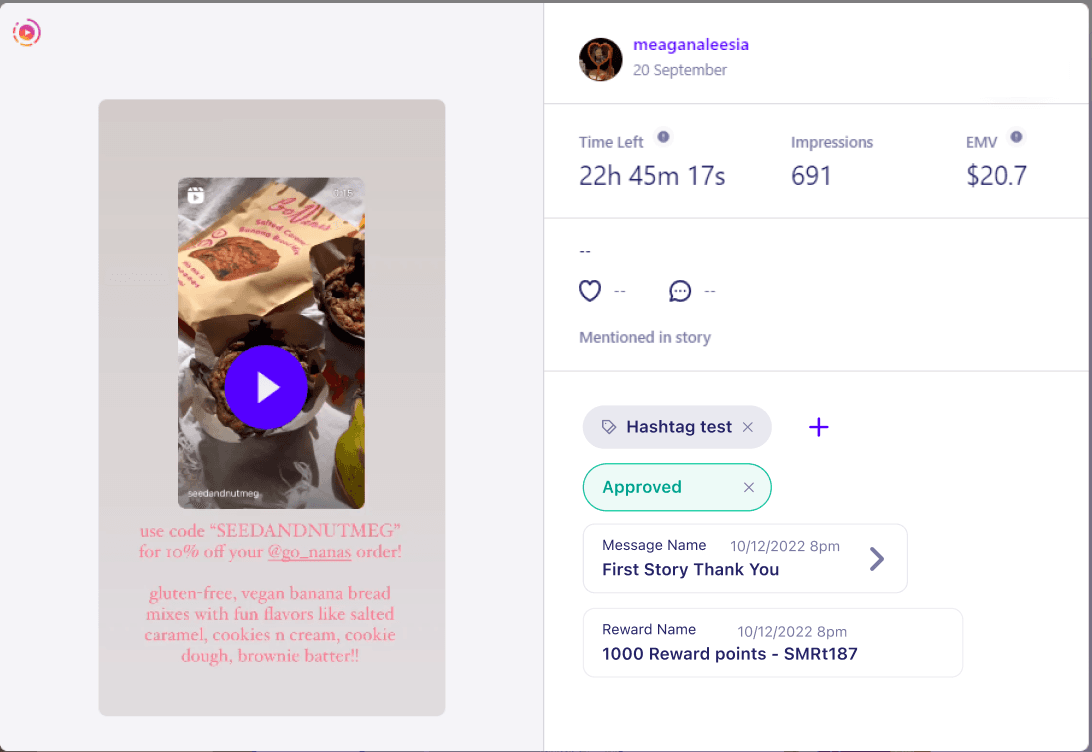
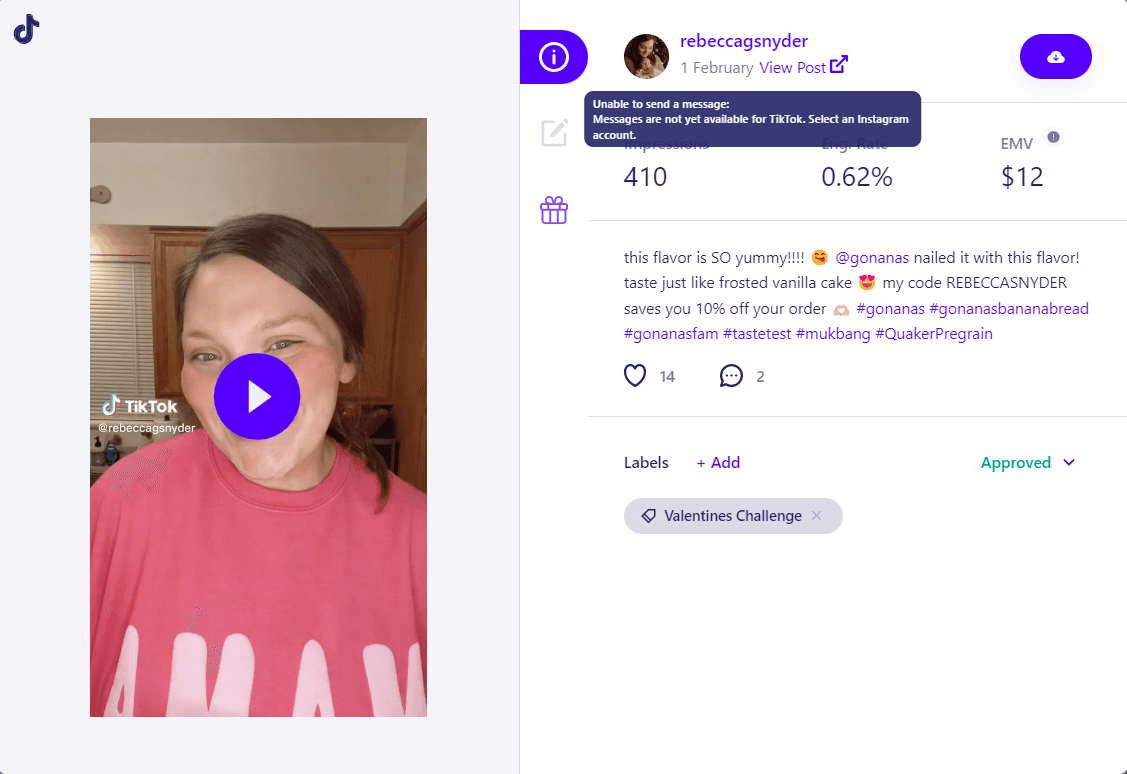
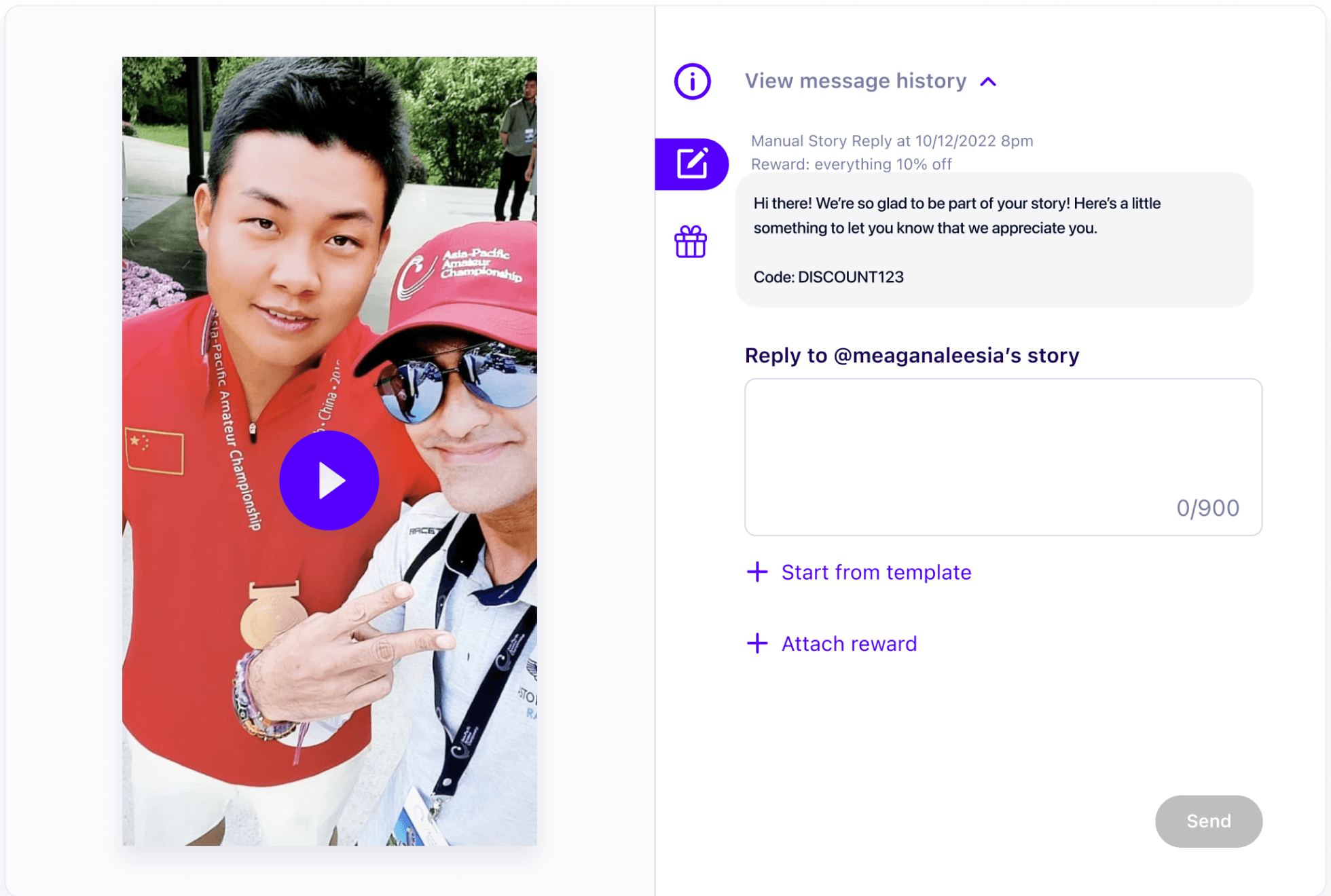
I discovered that the modal requires significant modification or a complete redesign to address the issue of information overload. Therefore, I request permission to start from scratch with the PM. Additionally, we debated whether to show message history in the view content pop-up modal, but decided it's better to provide brand managers with immediate feedback when their customer's content is gifted or messaged.
View content modal
Past messages management




Reflection
Zoom in or zoom out: Sometimes you need see a problem from page-to-page interaction level; sometimes you need to see a problem from the micro interaction level.
Don't be perfectionist: you can never fully understand a problem space fully so stop being perfectionist and start sketching out ideas.
Timing is key: the issue isn’t whether the CTA is visible, the issue is whether your CTA is visible at the point where someone has become convinced to take action
Pushback for design decisions: articulate rationale professionally and distinguish subjective and objective feedback
Identify design tradeoffs early: avoid going too far in the design that offers a mere 5% benefit to users yet demand a 95% of the team's effort to bring to life.
Revisit your goals throughout the design process: revisiting user goals, UX goals and design principles can be very helpful when making a hard design decision.
Thanks for reading till the end :D
© 2026 by Benyin (❁´◡`❁)